
Checks and balances
Protect a small business from mistakes and fraud without slowing anyone down: presets by team size, a second pair of eyes where it matters, and a weekly look back.
Mistakes and fraud happen most easily when one person can do a whole job alone: make a record, post it, and nobody looks at it again. Checks and balances lets the owner decide how much a second person, or a later look, should be part of the work. Everything here is off until you choose it, and it's on every plan.
Only the owner changes these settings. Open Checks and balances in the menu. You confirm who you are before saving, and the members a change affects get an email.
Choose a preset
Pick what fits the number of people who work in the business. The page suggests one for your team's size, and you can fine-tune it at any time.
| Preset | For | What it does |
|---|---|---|
| Just me | One person | Nothing to separate. Corrections such as reopening a period still ask for a reason, and the change history keeps everything. |
| Small team | 2 to 5 people | Nothing is blocked. Sensitive events go on your review list, you get a weekly summary, and you're told straight away about the ones that involve money. |
| Growing team | 6 or more | Records that move money need a second person (payments and vendor bank details, as those parts of Adimone arrive), plus everything in Small team. |
| Custom | Anyone | You choose which records need a second person, and how. |
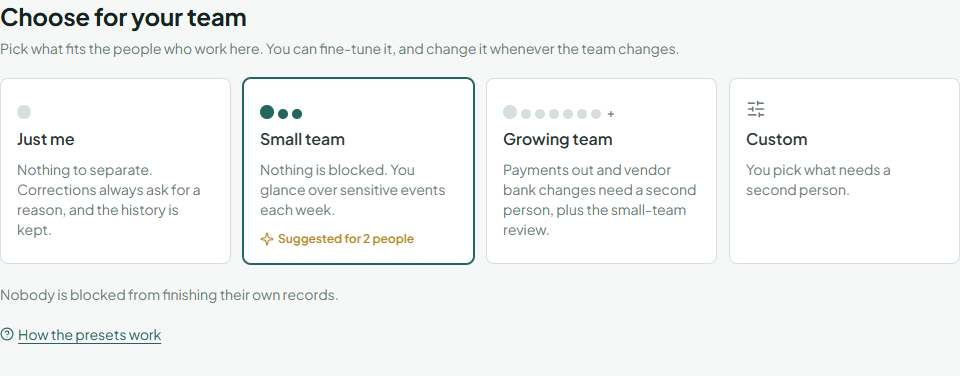
When the team grows past the preset you chose, the page (and later the health check) suggests a stronger one. It's a suggestion: nothing changes until you save.
When someone else must check it
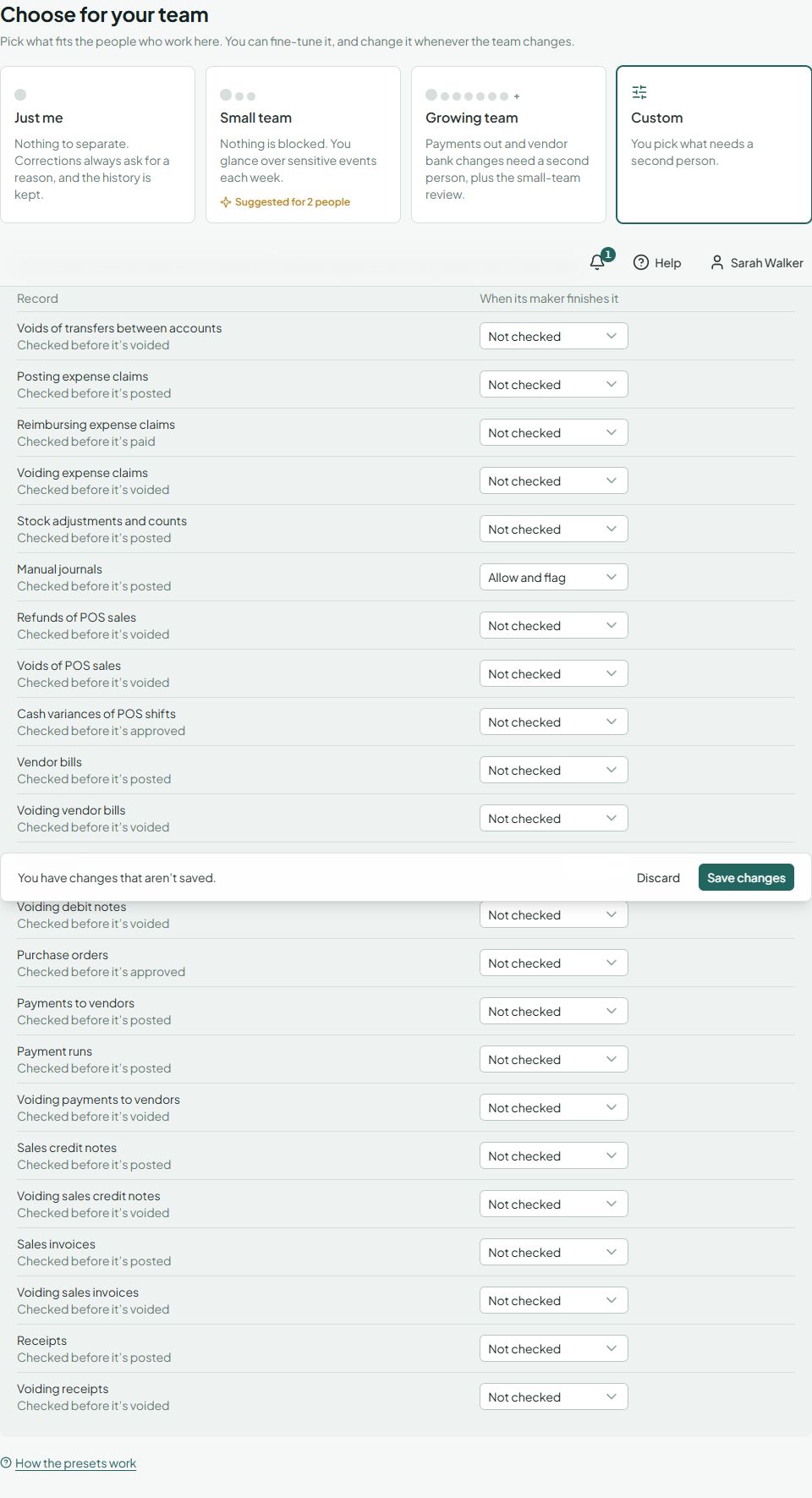
For a kind of record under a check, whoever made or last changed a record doesn't finish it themselves (post, approve, pay or void it). Today this covers manual journals, stock adjustments and counts (whoever prepared an adjustment or counted the stock doesn't post it) and purchase orders (whoever prepared an order doesn't approve it); more records join as Adimone grows. With Custom you choose per kind:
- Block: the maker can't finish it. Someone else who may do so must.
- Allow and flag: the maker can finish it, and it goes on your review list. This is the default in a team of up to 5, so work never waits for a second person who isn't there.
When a journal is blocked, it's kept as a draft and its maker sees why. They choose Send to someone who can check it, pick a person (the owner is always listed) and add a note; that person gets an email with a link to the journal. A bookkeeper can send their own drafts the same way.
You can't be locked out: when nobody else may check a record, the owner may finish their own, and that is recorded on the review list. Your external accountant counts as a checker, so a one-person business can still have real checks.
Approval rules
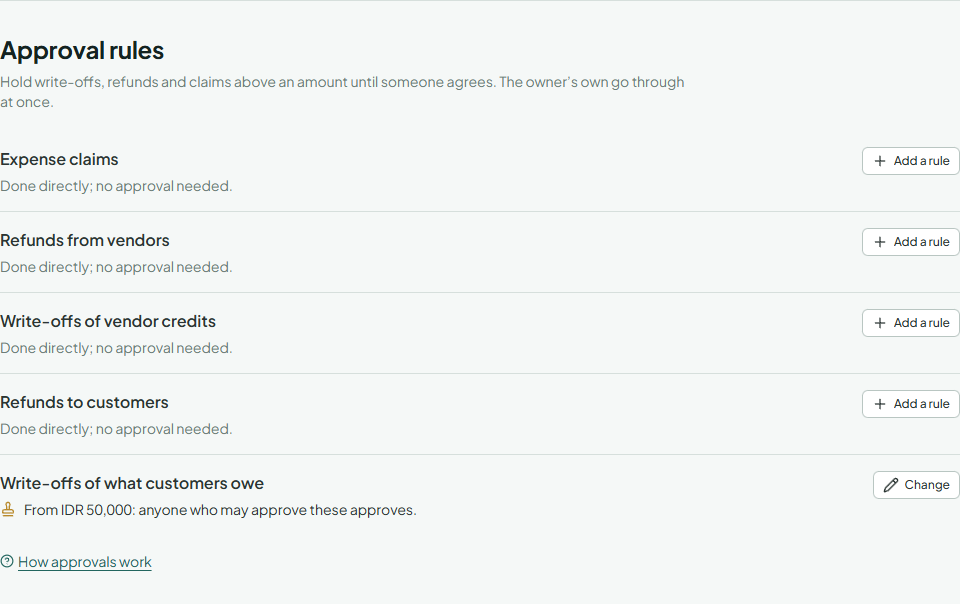
Some actions are better agreed by a second person before they happen, not looked at afterwards. Under Approval rules, choose Add a rule beside a kind (write-offs of what customers owe, refunds to customers, write-offs of vendor credits, refunds from vendors, expense claims) and set:
- From: the amount in your base currency from which it waits for approval; 0 holds every one.
- Approved by: anyone who may approve these, people in one role, or only the owner.
Each rule then reads as a sentence, such as "From Rp 1.000.000: anyone who may approve these approves." Plans with several approval levels let you add up to three, each from a higher amount and each a further approval; a business that moves to a plan without them keeps the levels it has and can still change them. Your own actions always go through at once. Saving a rule asks you to confirm it's you.
How people send, approve and turn down requests is in Approvals.
Your review list
Review list in the menu holds this week's things to glance at: reversed journals, reopened periods and lock dates moved back (with the reason given), stock adjusted or written off and stock documents voided (sized at the items' purchase prices), records finished by their own maker, and roles or members given more access. Each one says who did it, when, and the amount where there is one; Open goes to the record.
- Choose Seen once you've looked, or Mark all as seen.
- Choose Ask to write a question for the person who did it. Items you asked about stay under Question asked.
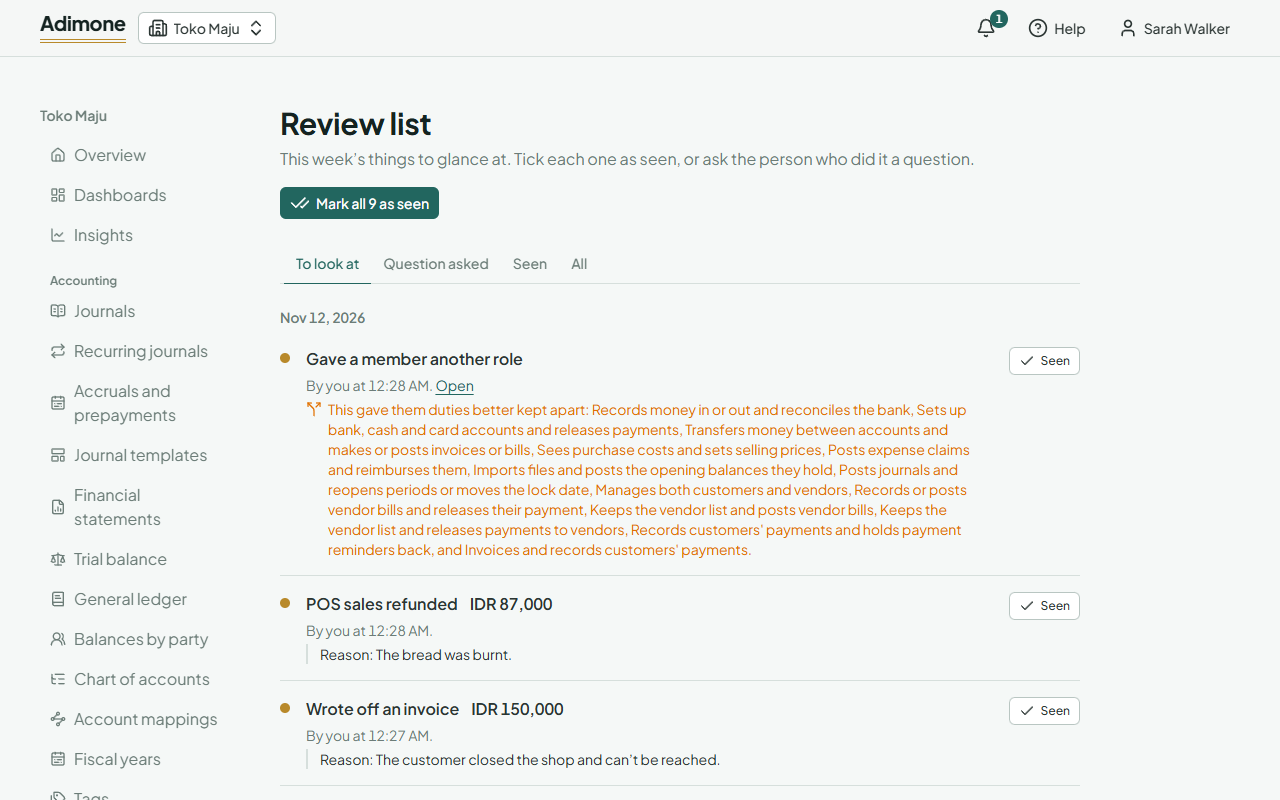
Reviews are recorded, so your accountant or auditor can see that you looked. With Email me a weekly summary on, you get a summary on Mondays when something is waiting. With Our external accountant reviews too on, your external accountant sees the list, can tick items and gets the summary as well.
Alerts
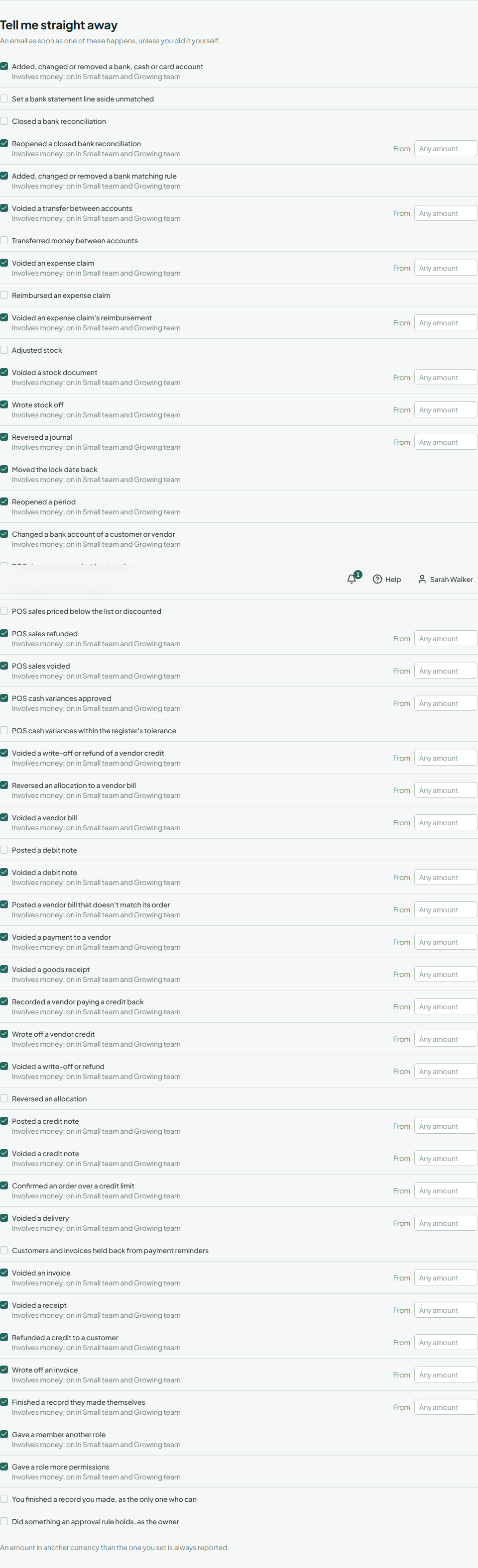
Under Tell me straight away, tick the events you want an email about as they happen. For events with an amount, such as a reversed journal, you can set the smallest amount worth telling you about, so everyday corrections stay out of your inbox. An amount in another currency than the one you set is always reported. You're never alerted about what you did yourself.
Risky combinations
Some duties are safer in two pairs of hands. Duties held together lists the roles and members that hold both sides of such a pair, in plain words, with what they can do on each side:
| Pair | Why it's risky |
|---|---|
| Manages both customers and vendors | One person could invent a vendor and pay it, or hide a customer's payment. |
| Sees purchase costs and sets selling prices | Margins are one person's secret. |
| Posts journals and reopens periods or moves the lock date | Closed books can be changed by the person who wrote them. |
| Runs the business and checks others' records | Usually an administrator: they can give themselves any access. |
| Reviews the list of sensitive events and makes or checks the records on it | The reviewer checks their own work. |
| Counts stock and moves it between warehouses | Goods can be taken and the count made to match. |
| Counts stock and posts the adjustments | A shortage can be counted away. |
| Posts journals and moves or adjusts stock | A missing stock and its entry in the books are in one person's hands. |

These are notes, never errors: in a small team someone often has to hold both. In businesses of more than 3 people, the same notes show when you save a role that combines them, next to each role on Roles, and when you make a member an Administrator. The switches for purchase prices and for your external accountant say which combination they create when turned on. A role change by someone other than you that creates a pair goes on your review list; so does your own, without an alert.
To separate duties, give people a role with fewer permissions (Roles and permissions); what each role sees is explained in What each role sees.
Emails people get
- You: alerts as events happen, and the weekly summary.
- Checkers: an email when someone sends them a record to check.
- Members: an email when you turn a check on or off that affects their role, or when a switch gives or takes away a permission (for example, sales staff seeing purchase prices).