
Unusual expenses
Spot costs that are far above their usual month, and vendors billing you for the first time.
Unusual expenses holds a month's costs against the months before it, and lists what stands out: an account that spent far more than usual, and a vendor that billed you for the first time. It's a quick way to catch a mistake, a price rise or a new commitment before it becomes a habit.
Open Unusual expenses. It needs a plan that includes insights.
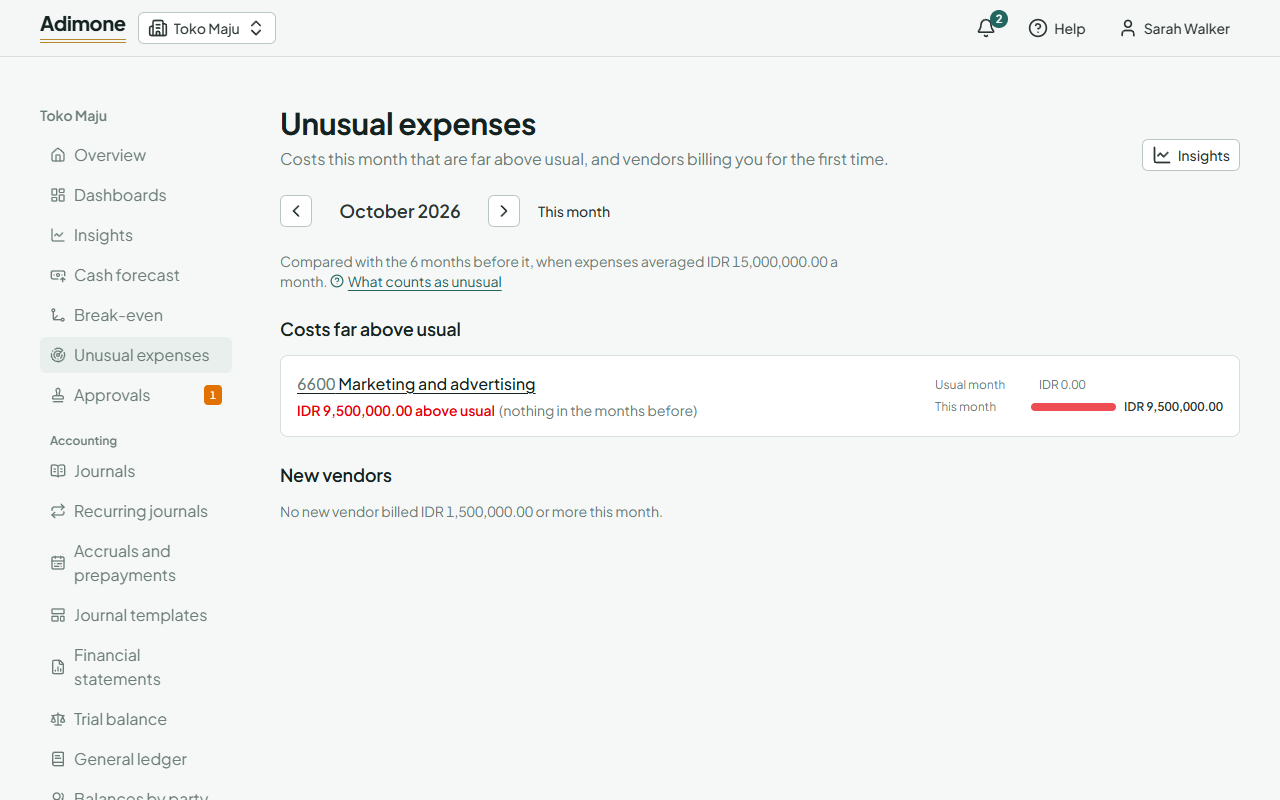
Look at a month
The page opens on this month so far. Use the arrows to go to the month before or after, and This month to come back.
Under Costs far above usual, each account shows how much it spent above its usual month, how many times its usual month that is, and a bar of the usual month against this one. Choose the account to open its activity for the month and see the entries behind it.
Under New vendors, each vendor whose first bill falls in the month is listed with the date of that bill, how many bills it sent and what they come to. Choose a vendor to open it. If your role doesn't show what vendors cost, the list says so instead.
What counts as unusual
The month is compared with up to 6 whole months before it, starting from the first month with expenses. With fewer than 3 such months there is no comparison yet.
- An account is flagged when it spent more than its average over those months by more than twice its usual swing, by more than half its average, and by at least 5% of all your expenses in an average month. An account with nothing in the months before counts once it passes that last amount.
- A new vendor is flagged when its bills in the month reach 10% of all your expenses in an average month.
Expense claims and bank spending recorded without a vendor bill are counted in the accounts, not as vendors. Income tax is left out.