
Alerts
Be told when a figure you watch, such as cash or this month's revenue, crosses a line you set, and choose how alerts reach you.
An alert watches one figure of the business and tells you when it crosses a line you set: cash and bank falling below what you need for payroll, or this month's expenses rising above what you planned. Alerts are your own: each member keeps theirs, on the figures their role lets them see.
Open alerts from the bell: choose Alert settings.
Add an alert
- Choose Add an alert.
- Pick the Figure to watch.
- Choose whether to be told when it Falls below or Rises above the line.
- For a figure that adds up over time, such as revenue or expenses, choose Today, This week or This month: the figure so far in that period is compared. A balance, such as cash and bank, is compared as it stands.
- Type the Line: an amount in the business's base currency, or for a ratio, a percentage or a number of days, in that unit.
- Check the sentence below the fields, then choose Add an alert.
Figures are checked every hour. You are told once when a figure crosses the line; you hear again only after it has come back and crossed again. You can keep up to 20 alerts in a business.
Some figures, such as the projected lowest cash, come with plans that include insights. When the plan no longer includes a figure, its alert is paused until it does.
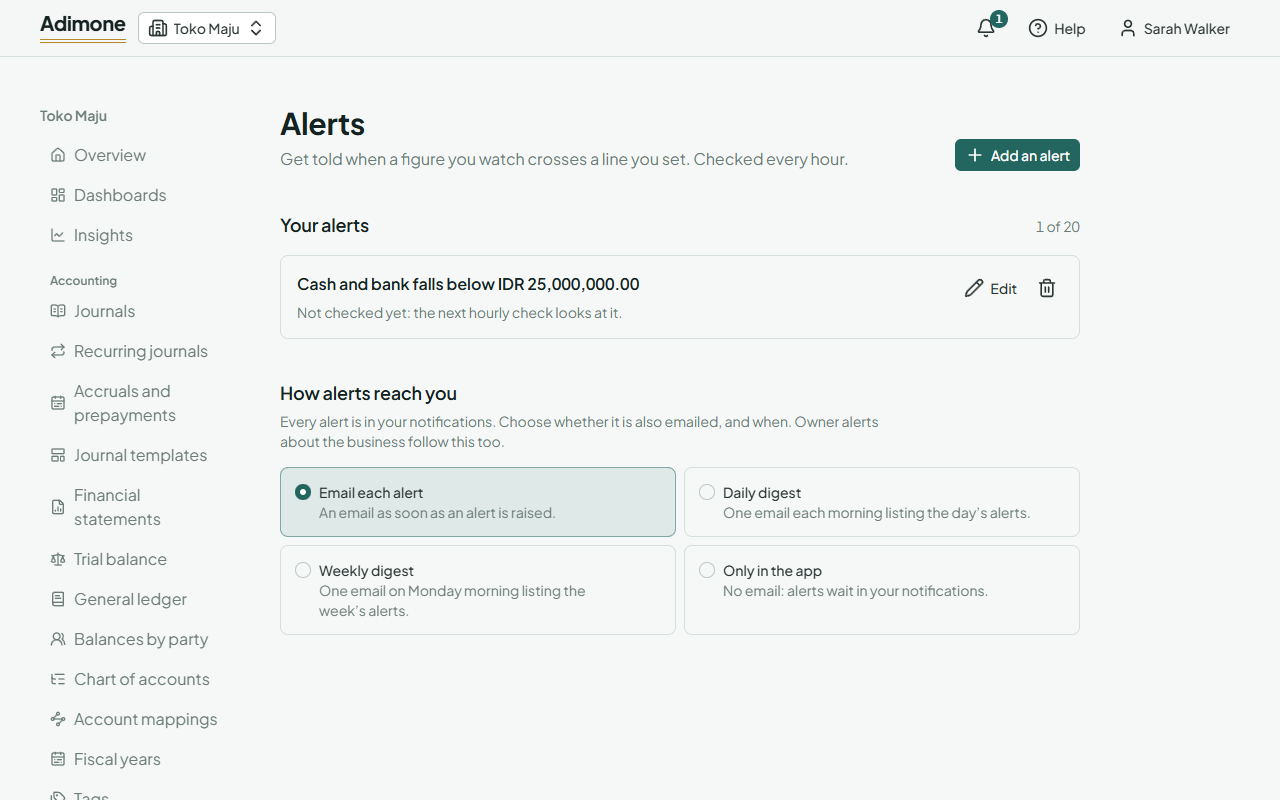
Your alerts
Each alert reads as a sentence, with what the last check saw:
- Past the line: the figure is beyond the line, and you were told when it crossed.
- Within the line: the figure is on the right side.
Choose Edit to change an alert; it starts fresh, so the next check tells you if the figure is already past the new line. Remove an alert with the bin; alerts it already raised stay in your notifications.
If your role no longer lets you see a figure, its alert says so and stops checking.
How alerts reach you
Every alert is in your notifications. Choose whether it is also emailed:
- Email each alert, as soon as it is raised (the default).
- Daily digest: one email each morning, in the business's time zone, listing the day's alerts.
- Weekly digest: one email on Monday morning listing the week's alerts.
- Only in the app: no email.
The choice also covers the owner's alerts about the business's checks and balances. A digest with no alerts isn't sent. Its link opens your notifications.