
Trial balance
Check that the books balance and see every account's balance for any range of dates.
The trial balance lists every account with its balance at the start of a range, what was posted to it during the range, and its balance at the end. Debits and credits always total the same; the report rules off the totals once they do.
Read the trial balance
- Open Trial balance.
- Pick the dates under From and To, or choose one under Period: this or last month, this or last fiscal year. Without dates, the report runs from the start of this fiscal year to today.
- Read each account across: Opening debit or credit, Posted in the range, and Closing.
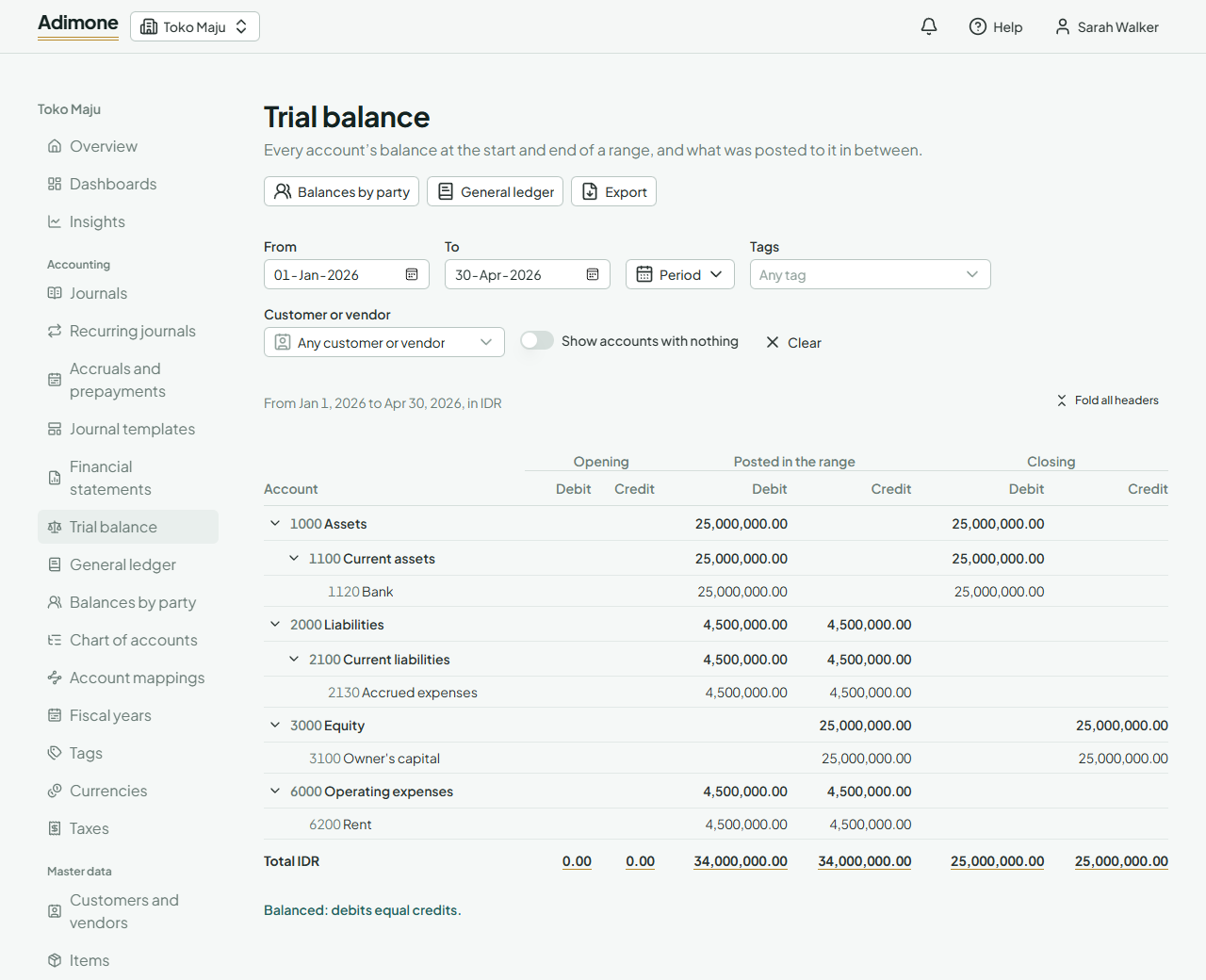
Amounts are in your base currency. Only posted journals count; drafts don't. Header accounts sum the accounts under them, so the Total line counts each account once. Fold a header with its arrow to see only its sum, or use Fold all headers for a one-page summary.
Accounts that had no balance and nothing posted are left out. Turn on Show accounts with nothing to list every active account.
The dates stay in the address, so you can bookmark or share the report.
Income and expenses start each year at zero
Income and expense accounts open at zero on the first day of each fiscal year. The profit or loss of the years before that sits in the opening balance of your retained earnings account; a note under the table says how much. Closing the year posts the same amount there, so the figures stay as they were. For this, an account must be mapped to retained earnings under Account mappings.
Filter by tags
Under Tags, pick one or more tags, such as a branch or a project. The report then counts only the lines tagged with every tag you picked.
An entry usually tags only some of its lines: an expense line carries the branch, the bank line doesn't. A filtered trial balance can therefore be out of balance, and it says so. That's expected; it shows what was posted to that branch, not a complete set of books.
Filter by customer or vendor
Under Customer or vendor, pick one to count only the receivable and payable lines that name them. The report then doesn't balance, and says so. To see every customer's or vendor's balance side by side, open balances by party.
Look closer at an account
Choose an account's name to see its activity month by month, then the lines behind each month and the journal behind each line.
When the report is refused
- A date before the compaction cutoff: years past their retention are kept as one brought-forward entry, so reports start on the cutoff. Pick a later From.
- No account is mapped to retained earnings: map one under Account mappings, so the profit of earlier years has somewhere to show.
Export the report
Choose Export to save the trial balance as a PDF, an Excel workbook or a CSV file, with the same dates and filters (Export reports). For the income statement and balance sheet built from these balances, open Financial statements.