
Journal templates
Set up the entries the business writes often, so recording one takes only its amounts.
A journal template is an entry the business writes often, set up once: rent with tax withheld, a payroll accrual, a petty cash top-up. Each line says how its amount is found, so whoever fills it in types only the amounts and the rest is worked out. Using one makes an ordinary journal, as a draft or posted. Templates come with every plan.
Setting up templates needs permission to manage them, which accountants have. Anyone allowed to fill in templates can use them, including the Bookkeeper role, which does nothing else: see Fill in a journal template.
Set up a template
- Open Journal templates and choose New template.
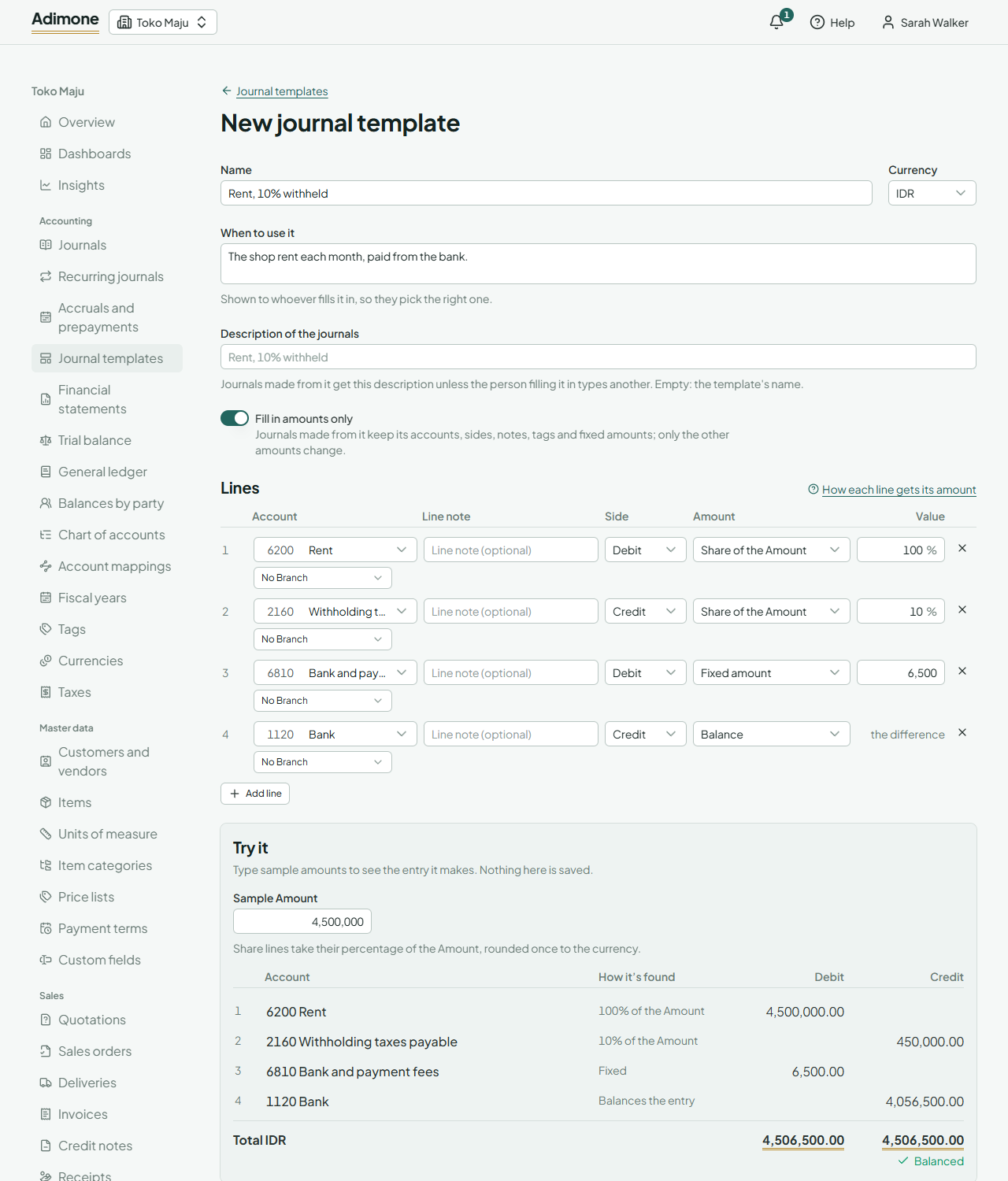
- Give it a Name, and under When to use it say what it's for. Whoever fills it in sees this, so they pick the right one.
- The Description of the journals goes on each journal made from it; leave it empty to use the name.
- Turn on Fill in amounts only to lock it (see below).
- Add the lines: an account, a side, how its amount is found, and an optional line note and tags.
- Under Try it, type sample amounts to check the entry it makes. Nothing there is saved.
- Choose Create template.
How each line gets its amount
- Typed when used: whoever fills it in types the amount, such as a supplier's bill.
- Fixed amount: always the same, such as a monthly transfer fee.
- Share of the Amount: a percentage of the one Amount typed when it's used. Rent with 10% withheld takes 100% on the rent line and 10% on the withholding line. A share is worked out once and rounded to the currency's decimals, half to even.
- Balance: the difference that makes the entry balance, such as the bank paying the rest. A template has one balance line at most.
A share or balance line that comes to 0 is left out of the journal, so a tiny Amount still makes an entry that posts. A template whose lines are all fixed must balance as it is. If the amounts typed make the balance line negative, the entry can't be saved: check the amounts, or the template.
Lock a template
With Fill in amounts only, journals made from the template keep its accounts, sides, line notes, tags and fixed amounts; only the other amounts change. Use it when the entry must always look the same, for example when a bookkeeper records it.
Start a journal from a template
In a new journal, choose Start from a template, pick one and, if it has share lines, type the Amount. Its lines fill the editor: review the amounts, then save or post as usual. The journal names its template, and the template lists its journals.
To turn an existing journal into a template, open it and choose Save as template: its lines come in as fixed amounts, which you can change to other rules before saving.
A new recurring journal can also start from a template. A recurring journal repeats the same amounts, so type any amount the template leaves open.
Deactivate or delete
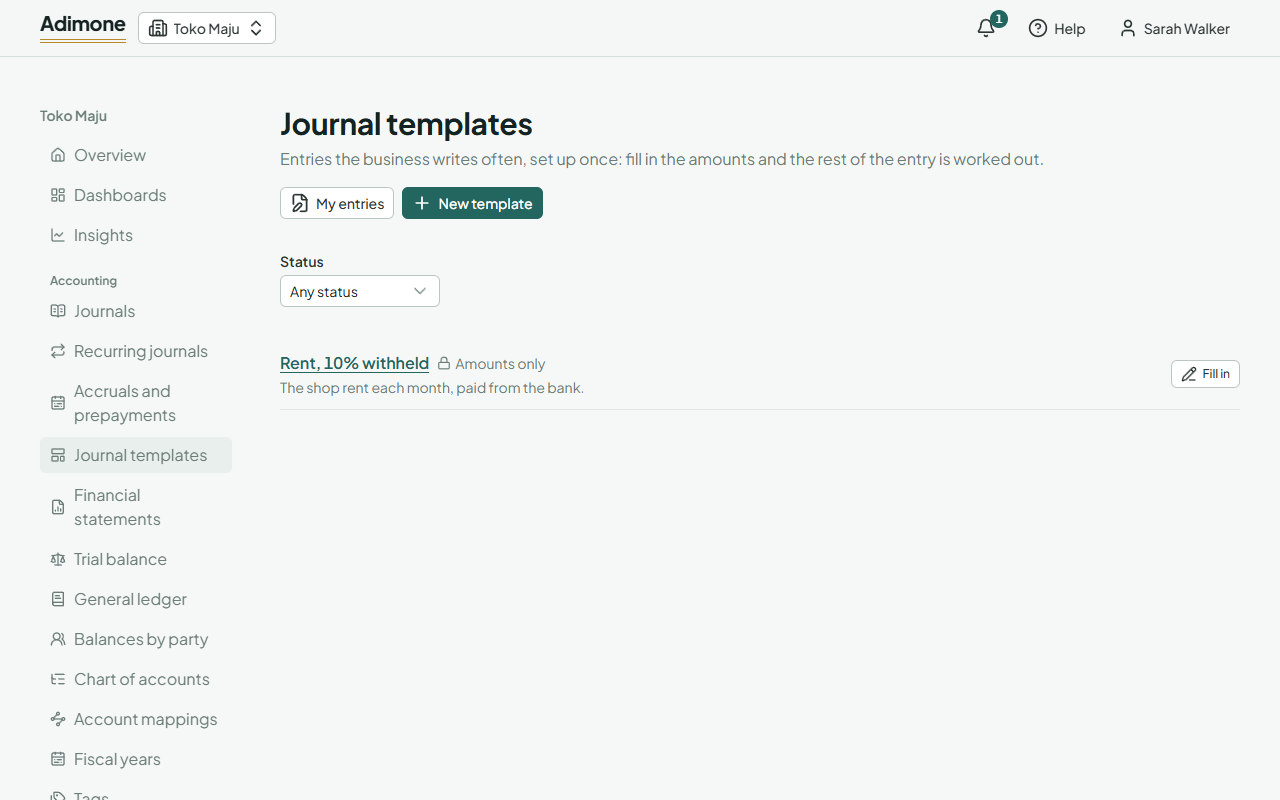
Deactivate a template no one should fill in for now; Reactivate brings it back. Delete removes it and frees its name. Either way, the journals made from it stay as they are. An account or tag used on a template's line can't be removed until the template no longer uses it.