
General ledger and account activity
Follow an account month by month and line by line, down to the journal that posted each amount.
The general ledger lists every posted line of each account in date order, with the account's balance after each line. Account activity shows one account's movement month by month.
An account's months
- In the trial balance, choose an account's name.
- The page shows its balance at the start of the range, then each month's debits, credits and closing balance, and the totals.
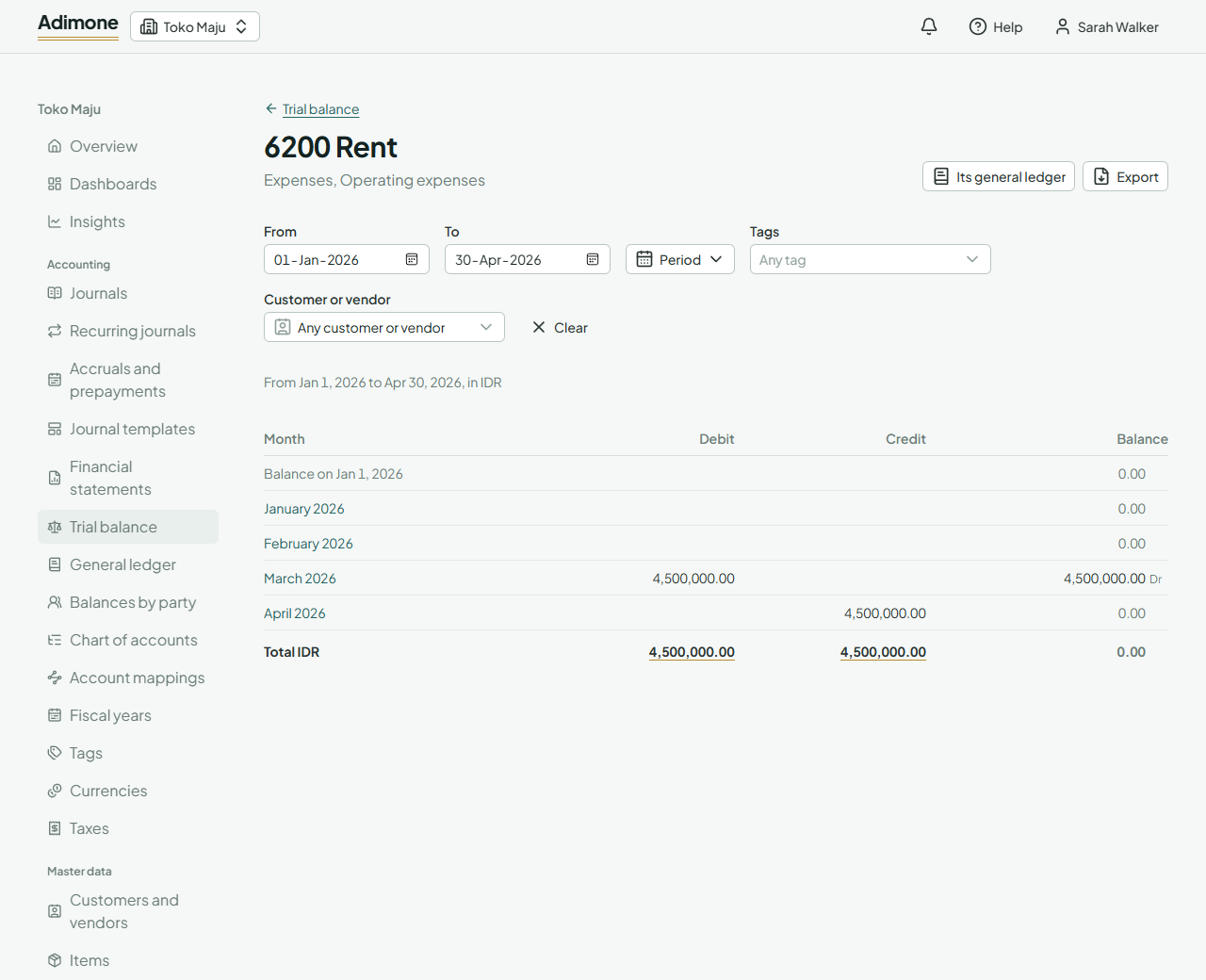
For a header account, the accounts under it are added together. Choose a month to see its lines, or Its general ledger for the whole range.
Read the general ledger
- Open General ledger, or reach it from an account's months.
- Pick the dates, and an Account to see only that one (a header shows the accounts under it). Without an account, every account with a balance or postings is listed in chart order.
- Each line shows the date, the journal number and where it came from, the description and its tags, the debit or credit, and the Balance after it.
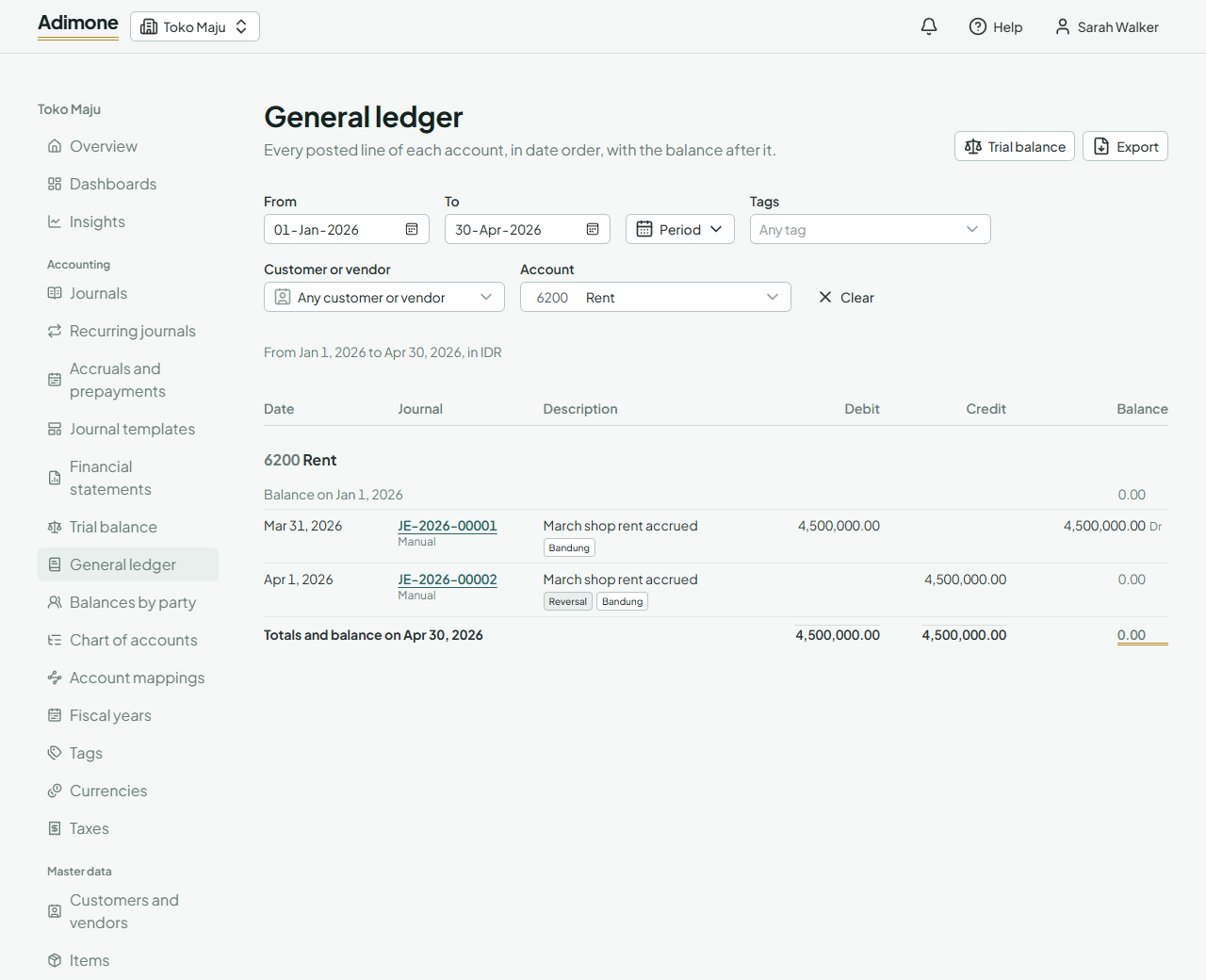
Balances are marked Dr for a debit balance and Cr for a credit balance. Amounts are in your base currency; for a line in another currency, the original amount shows under its description. A reversal is marked Reversal.
Choose a journal number to open the journal. Long ledgers load in pages: choose Show more at the bottom for the next lines. An account that runs on continues where it left off.
Tags filter the lines the same way as in the trial balance, and so does Customer or vendor: pick one to see only the lines naming them. Lines on receivable and payable accounts show the customer or vendor they belong to under their description.
Export the ledger
Choose Export on the general ledger or on an account's months to save it as a PDF, an Excel workbook or a CSV file. The file holds the whole range at once, not only the lines loaded on screen (Export reports).