
Fiscal years and the lock date
Add the fiscal years your books run in, soft-close months, and lock the books once figures are final.
Your books run in fiscal years, each made of monthly periods. Every entry needs a period that covers its date, so add a fiscal year before you record anything in it.
Add a fiscal year
- Open Fiscal years and choose Add fiscal year.
- For your first year, pick the First month. Later years follow on from the last one (The next year) or come before the first one (An earlier year).
- Leave Months at 12 unless your year end is changing: a year can be 1 to 18 months.
- Check the dates shown and choose Add fiscal year.
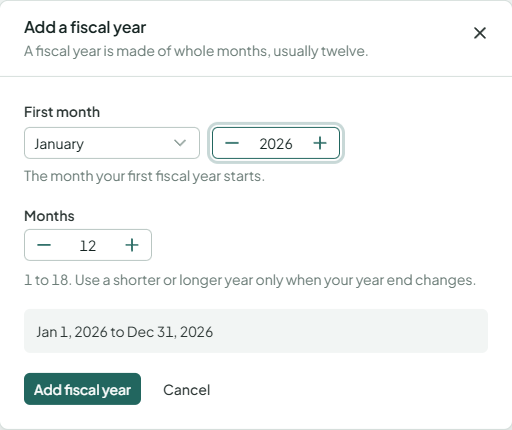
Adimone adds the next fiscal year by itself three months before the last one ends (12 months, starting the day after), so entries dated ahead always have somewhere to go.
Soft-close a month
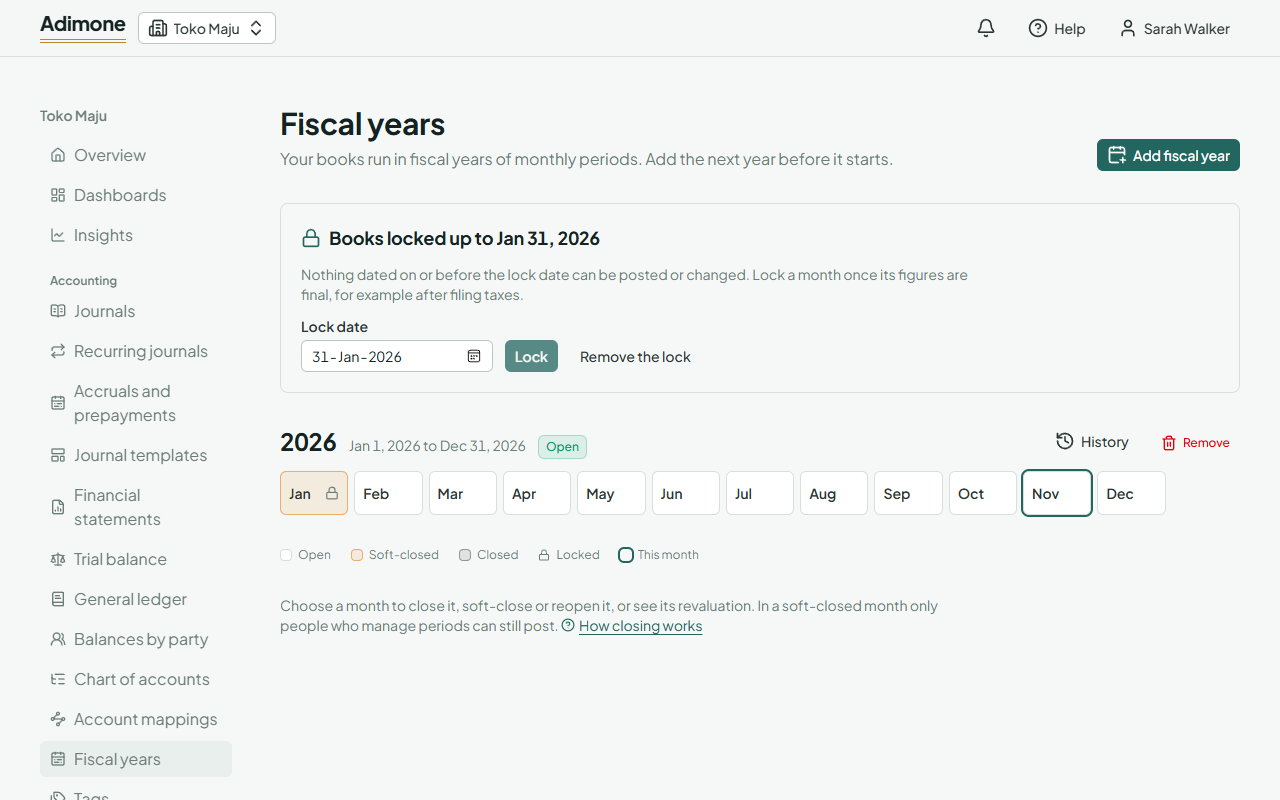
Each month of a year shows as a tile; the current month is outlined. Choose a month and Soft-close it when its work is done: from then on only people who manage periods (accountants and the owner) can still post into it. Reopen undoes it; it asks for a short reason, kept with the change in the change history.
To close a month for good, use Close the month: see Closing a month and a year.
Lock the books
The lock date stops anything dated on or before it from being posted or changed, by anyone. Lock a month once its figures are final, for example after you've filed its taxes:
- In the box at the top, enter the Lock date, at most today.
- Choose Lock.
Locked months show a lock icon. To post into a locked month again, move the lock date back or choose Remove the lock. Both reopen days whose figures were final, so they ask for a short reason, kept with the change in the change history.
Remove a fiscal year
Only the first or the last fiscal year can be removed, and only while every month is open and nothing is posted in it. Choose Remove next to the year.
Years past their retention
Businesses keep their books as long as the tax rules require. Older years are then summarized into a brought-forward entry, after a notice by email, and show as Compacted: reports and new entries start on the first day after them. Data retention shows how long your detail is kept and what holds the oldest year.