
Work in several currencies
Choose the base currency your books are kept in, add the currencies you trade in, and enter their exchange rates.
Your books are kept in one base currency, usually the currency of the country you report taxes to. When you invoice or pay in another currency, Adimone converts the amounts at the exchange rate of the document's date.
Choose the base currency
Open Currencies. A new business chooses its base currency first: pick it from the list (type its code or name to find it) and choose Use with its code.
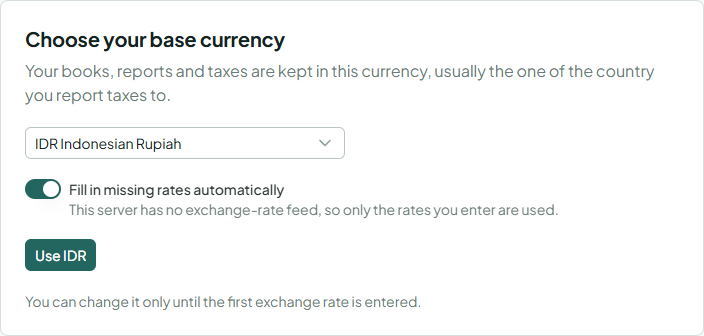
Leave Fill in missing rates automatically on to use the platform's exchange-rate feed on days you haven't entered a rate yourself. The note under it says whose rates the feed publishes, or that this server has none.
You can change the base currency with Change base currency only until the first exchange rate is entered against it.
Add a currency
- Choose Add currency and pick the currency.
- Keep its Decimal places (amounts in it round to these) or use fewer.
- Choose Add currency.
The currency appears on the left with its rates on the right. Use ⋯ to change its decimal places or to Deactivate it: new documents can't use an inactive currency, and existing ones keep it.
Enter exchange rates
- With the currency selected, choose Enter rate.
- Set From, the first day the rate applies. One rate per day.
- Type the rate the way you're used to seeing it: 1 USD = 16,250 IDR, or choose Enter as 1 IDR in USD to type it the other way round.
- Choose Enter rate.
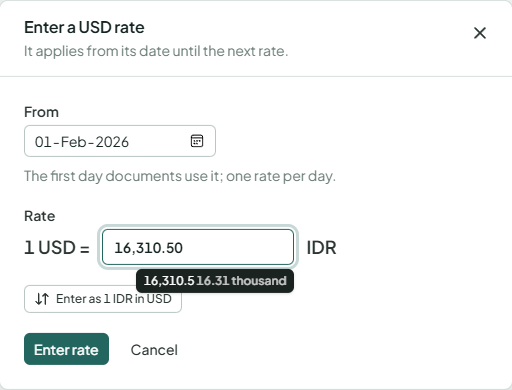
A rate applies from its date until the next one. Use ⋯ next to a rate to change or delete it; documents already posted keep the rate they were posted with.
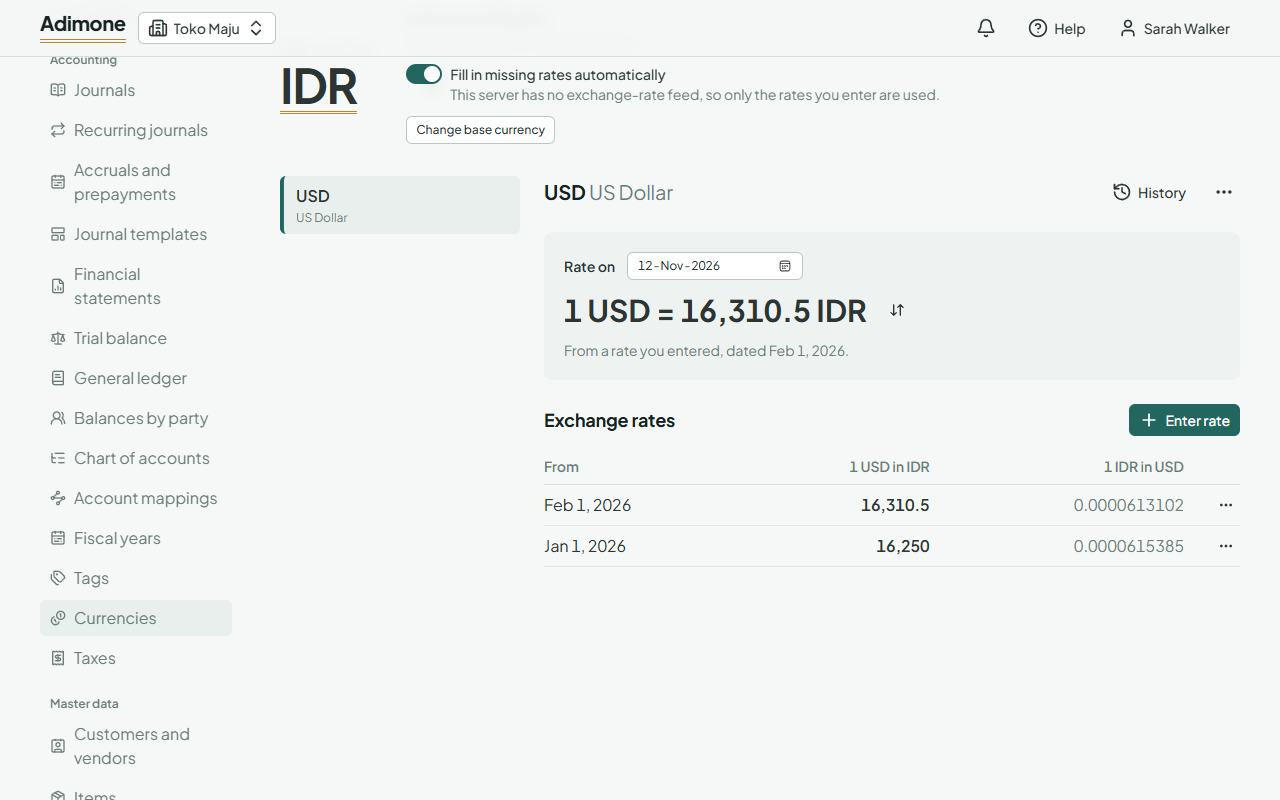
See the rate of a day
Rate on shows the rate documents of that day convert with, and where it comes from: a rate you entered (with its date) or the feed. Use the arrows to see it the other way round. If no rate covers the day, enter one before using the currency on documents of that date.