
Record vendor bills
Record what vendors bill you, from a goods receipt, a purchase order or on its own, check it against the order with the three-way match, post it and void it.
A vendor bill records what a vendor charges you. Posting it adds what you owe them to your payables on the bill's date. The bill is the vendor's document: it has no number of your own, so enter their invoice number to find it again and avoid recording it twice.
Bill a goods receipt or an order
Most bills follow goods you received or an order you placed.
- Open a posted goods receipt and choose Bill this receipt, or an issued purchase order and choose Bill this order. Or, in Purchasing, open Vendor bills, choose Record a bill, and pick the receipt or order under Bill what you received or ordered.
- A draft opens with everything not yet billed, at the order's prices, discounts and taxes. A line of a receipt says so; a service on the order shows what was ordered and what is left to bill.
- Change it to what the vendor's bill says: the quantities they bill, and their price where it differs. Enter the Vendor's invoice number and the Bill date from their bill. The Due date follows the vendor's payment terms unless you set one.
- Add a line of the order or its receipts puts back a line you removed.
Enter a bill on its own
For a service, rent or any expense without an order, choose Record a bill and fill in the part under Or enter a bill on its own: pick the vendor, add the items and their prices as billed. On the Free plan, without purchasing, this is how every bill is recorded: bills of services and of goods not kept in stock work there, while goods kept in stock come in on goods receipts, which need purchasing.
Goods kept in stock
Goods you keep in stock come into the warehouse on a goods receipt before they are billed, so their stock and cost are right. When a bill on its own names such goods, saving it says they aren't received yet, and Receive these goods does it for you: it posts a goods receipt of those lines on the bill's date, and the bill then bills it. Goods tracked by lot or serial number need their numbers first: the receipt opens for you to enter them, and you bill it from there. Without the right to receive goods, ask whoever receives them, then bill their receipt.
The three-way match
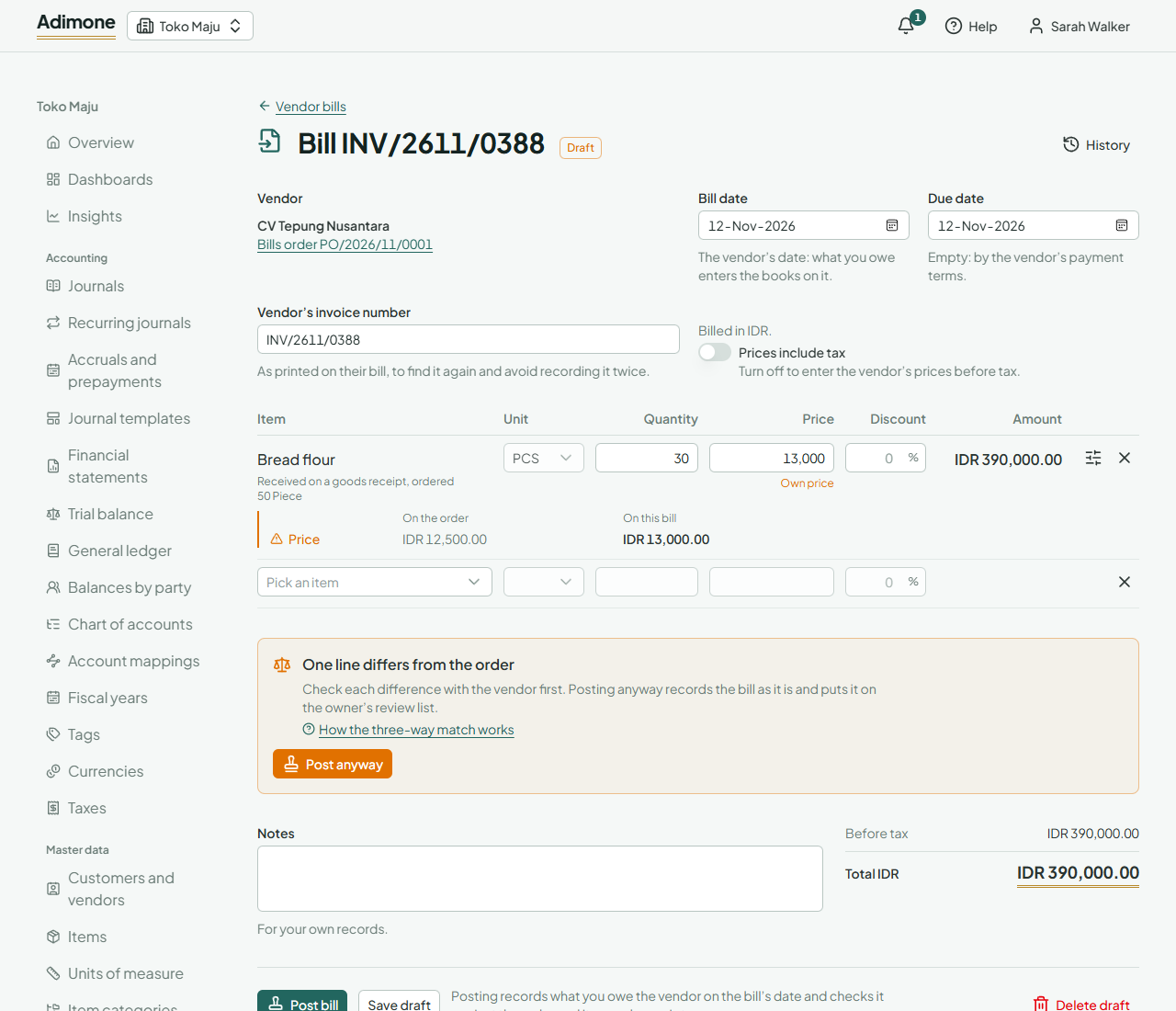
A bill of an order is checked against the order and its goods receipts: what was agreed, what came in, and what the vendor bills. Beside each line that differs you see the order's figure and the bill's:
- Price: another price in the line's unit, another discount, or prices with tax where the order had them without.
- Taxes: other taxes than the order line's.
- Quantity: more of a service than was ordered. Goods can't be billed beyond what was received.
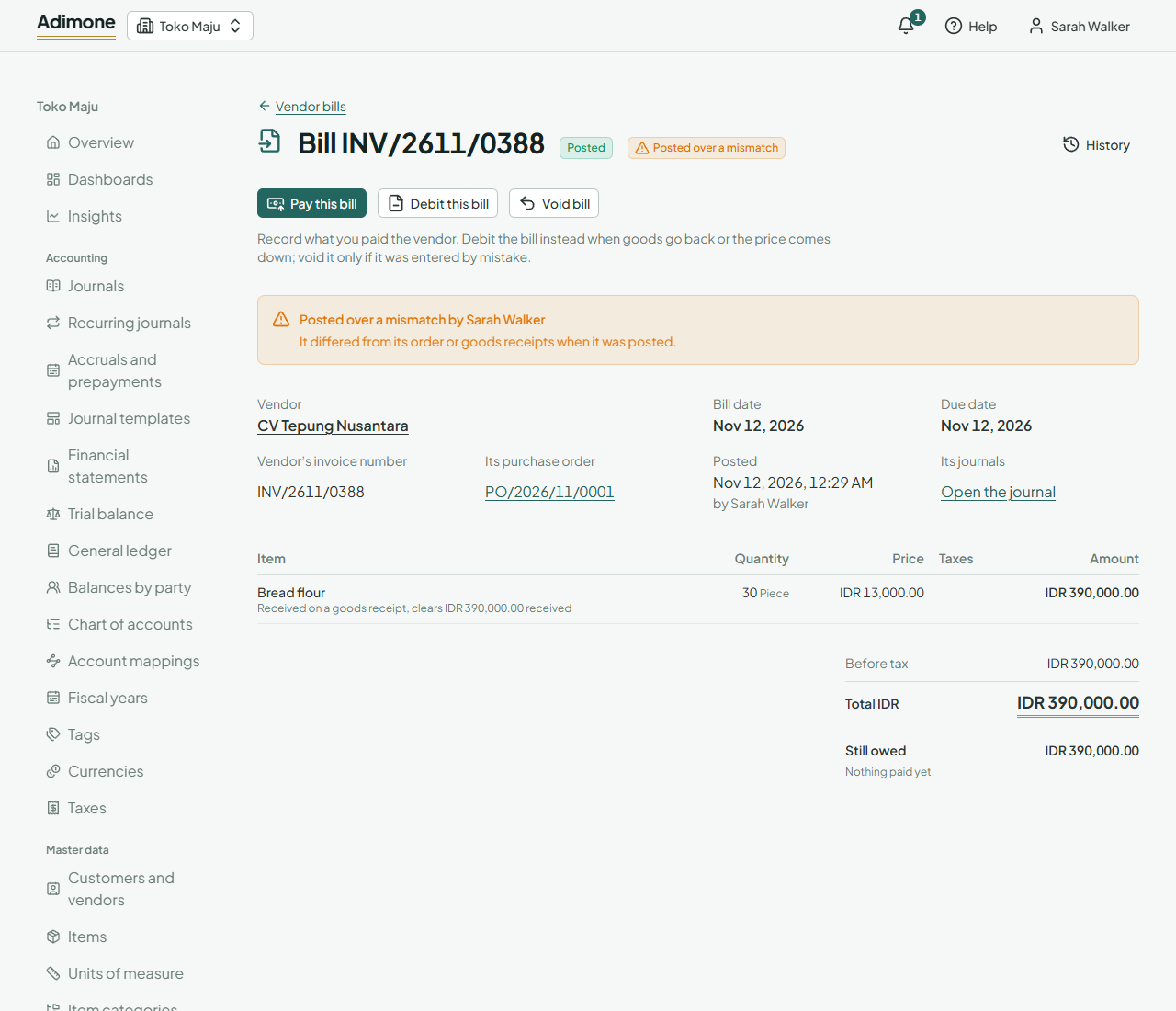
Correct the bill to what was agreed, or ask the vendor. A bill that still differs can be posted only by the owner or an administrator, with Post anyway. The bill is then marked Posted over a mismatch, and the owner's review list shows it.
Post the bill
Choose Post bill. Posting records what you owe the vendor on the bill's date, less any tax withheld. Goods received are moved out of goods received not invoiced at the bill's price: when it differs from what the receipt costed them, the stock's cost is corrected. Services go to their cost accounts.
With checks and balances turned on for vendor bills, the person who prepared a bill doesn't post it: save it, and someone else posts it from its page.
Follow what is owed
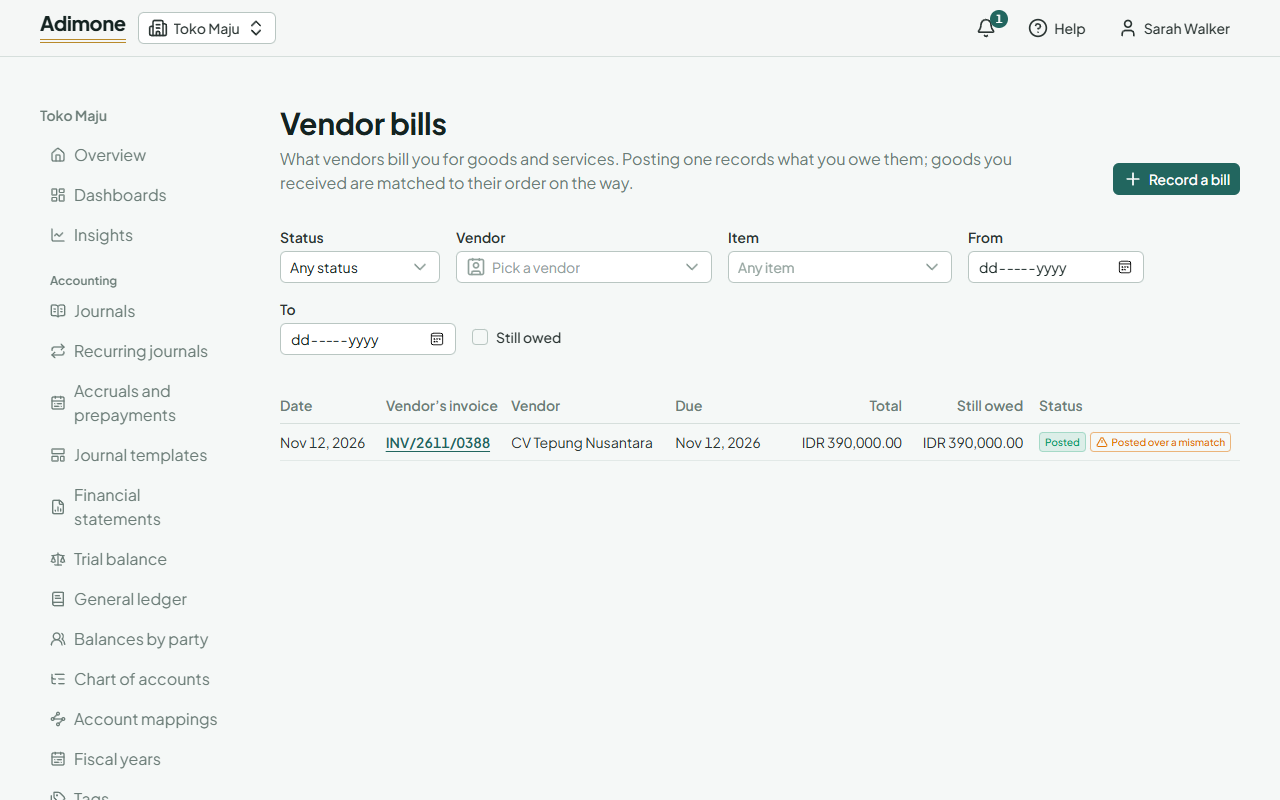
Vendor bills lists every bill with its due date, what is still owed, and whether it matched its order. Still owed shows only bills not wholly paid. An order and its receipts show how much is billed, and See its bills on an order lists them.
Void a bill
For a bill recorded by mistake, open it and choose Void bill. Pick the day it is reversed (its own day or later) and give the reason. What you owe is reversed, and its order and goods receipts count what it billed as not billed again. The owner's review list shows every void. A bill that payments or debit notes settle can't be voided until they are taken off it.
For goods you send back or a price the vendor lowers afterwards, debit the bill instead: Return goods and take allowances from vendors.