
Read the payables aging
See what you owe each vendor by how long it is past due, on any day, and the bills and credits behind it.
The payables aging shows what you owe your vendors, sorted by how late it is. Use it to see which vendors are waiting longest, and to check what you owed at a month or year end.
Opening it needs permission to see purchasing and purchase prices, usually the owner, administrators, accountants and purchasing staff.
Read the aging
- Open Payables aging in Purchasing.
- At the top, a strip shows what you owe in each currency, split by age: Not yet due, 1–30 days, 31–60 days, 61–90 days and Over 90 days past the due date. It also says how much of it is past due.
- Below, each vendor has a row with the same columns, their Open credits, and their Balance: what you owe them less your credits with them.
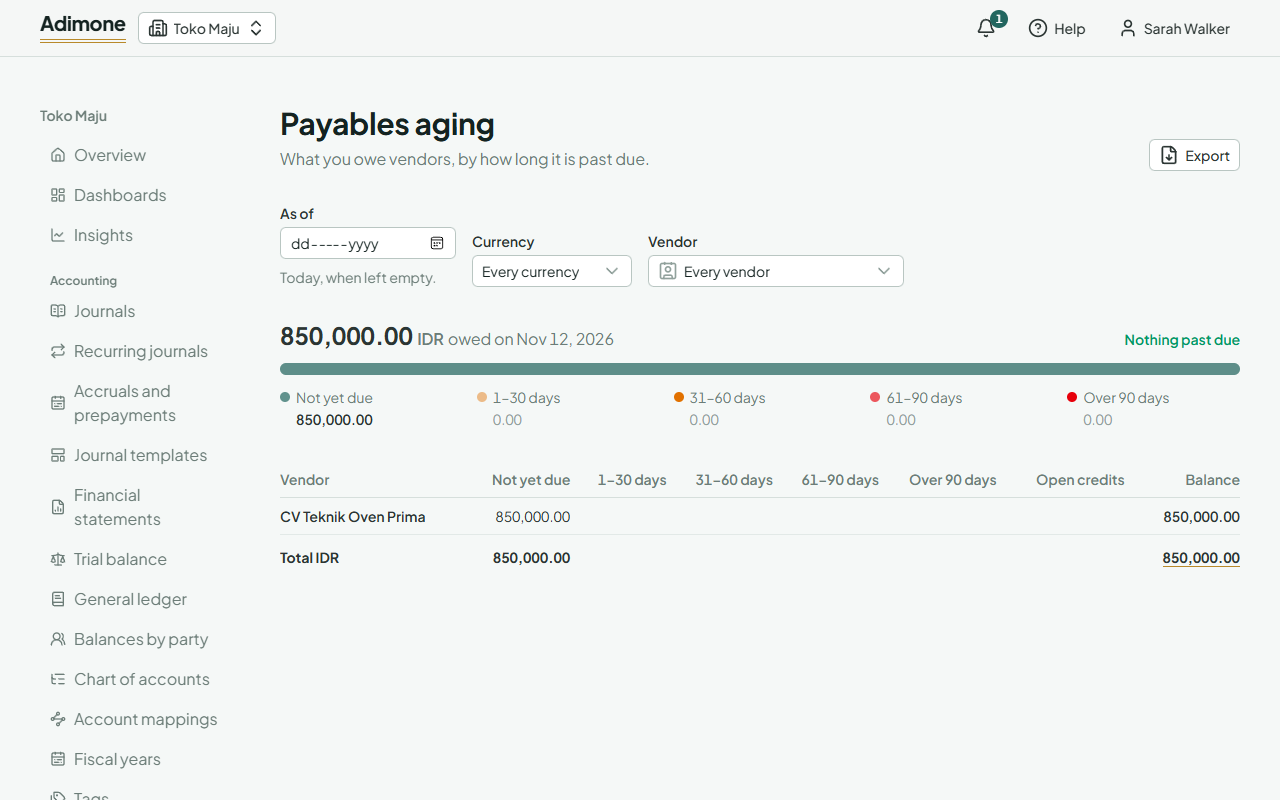
A bill counts from its due date; one without a due date is due on its own date. What a bill owes is its total less any tax withheld, less what payments and debit notes have settled. Open credits are what is left of your payments and debit notes that no bill has taken yet. They come off the balance but aren't spread over the age columns: apply them to the bills to settle those.
A vendor you pay in two currencies gets a row for each. A line under the table then gives everything in your base currency, at each document's own rate, which is how the payable account holds it.
Look back to any day
Pick a day under As of to see the aging as it stood then: the bills posted by that day, less what was paid or debited by then. A payment recorded later doesn't change an earlier day.
Use Currency to see one currency only, and Vendor to go straight to one vendor. What you owe them on a vendor's page opens the same view.
One vendor's open documents
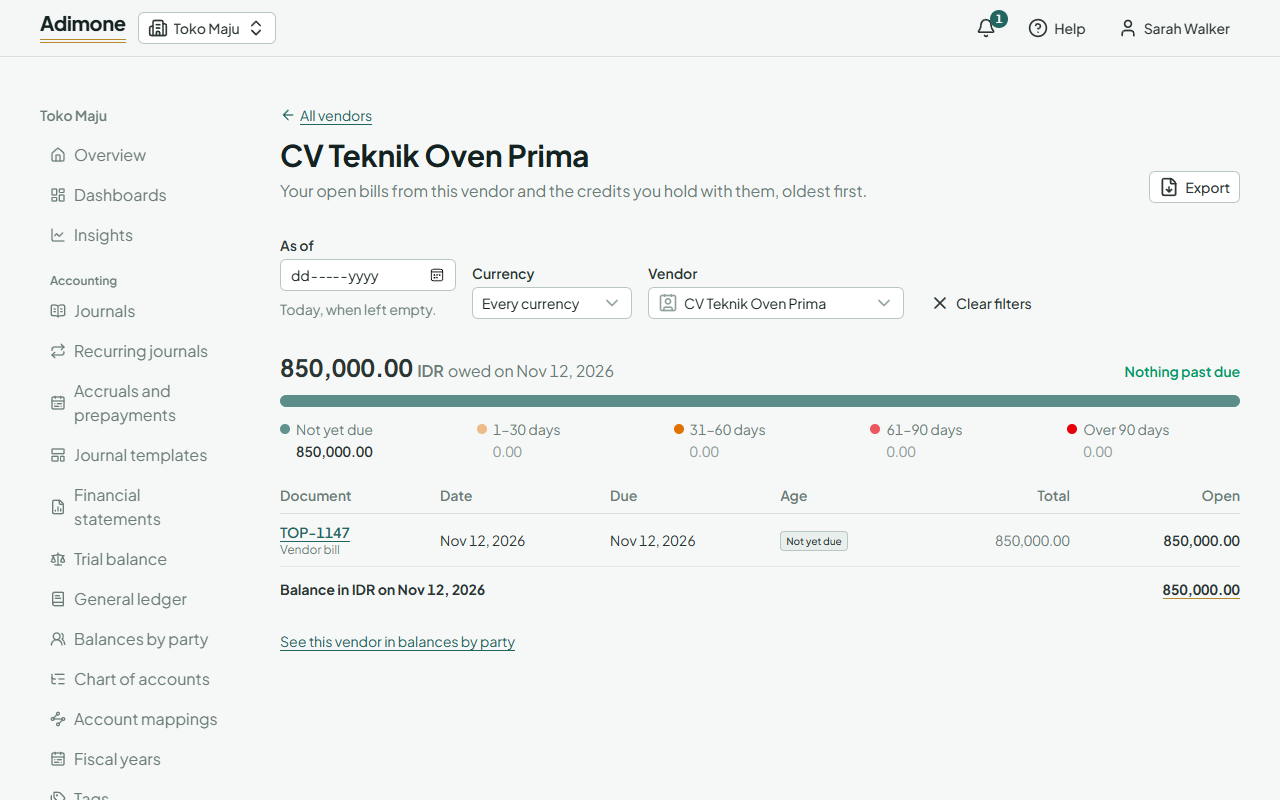
Choose a vendor's name. The page lists their open bills, oldest first, with the date, due date, how many days late each is, its total and what is still open, then your unused payments and debit notes with them. Choose a number to open the document: from a bill you can pay it.
To see when the bills fall due rather than how late they are, and what is already planned to pay, open the payment schedule.
When it differs from the ledger
The aging is built from vendor bills, debit notes and payments. A journal that names the vendor on the payable account is in their ledger balance but not in the aging, since it isn't a document with a due date. Compare with balances by party to find such amounts.
Export the aging
Choose Export to save the aging, as of its day and with its filters, as a PDF, an Excel workbook or a CSV file (Export reports).