
Take sales orders
Record what a customer orders, confirm it against their credit limit, and copy or cancel it.
A sales order records what a customer ordered, at the prices they pay. It comes from an accepted quotation, or you write it yourself.
Record an order
- In Sales, open Sales orders and choose New sales order. An accepted quotation opens its order for you instead.
- Pick the Customer, check the Date and, if you promised one, the Deliver by day.
- Enter Their reference, such as the customer's PO number, so you both find it later.
- Add the items, units and quantities. Prices come from the customer's price list as on quotations; an order made from a quotation keeps the prices it quoted.
- Choose Save draft, or go on and confirm it.
Confirm it
Choose Confirm order. The order gets its number and its PDF, and can't change afterwards. Send emails it to the customer or makes a link to it (Send documents to customers).
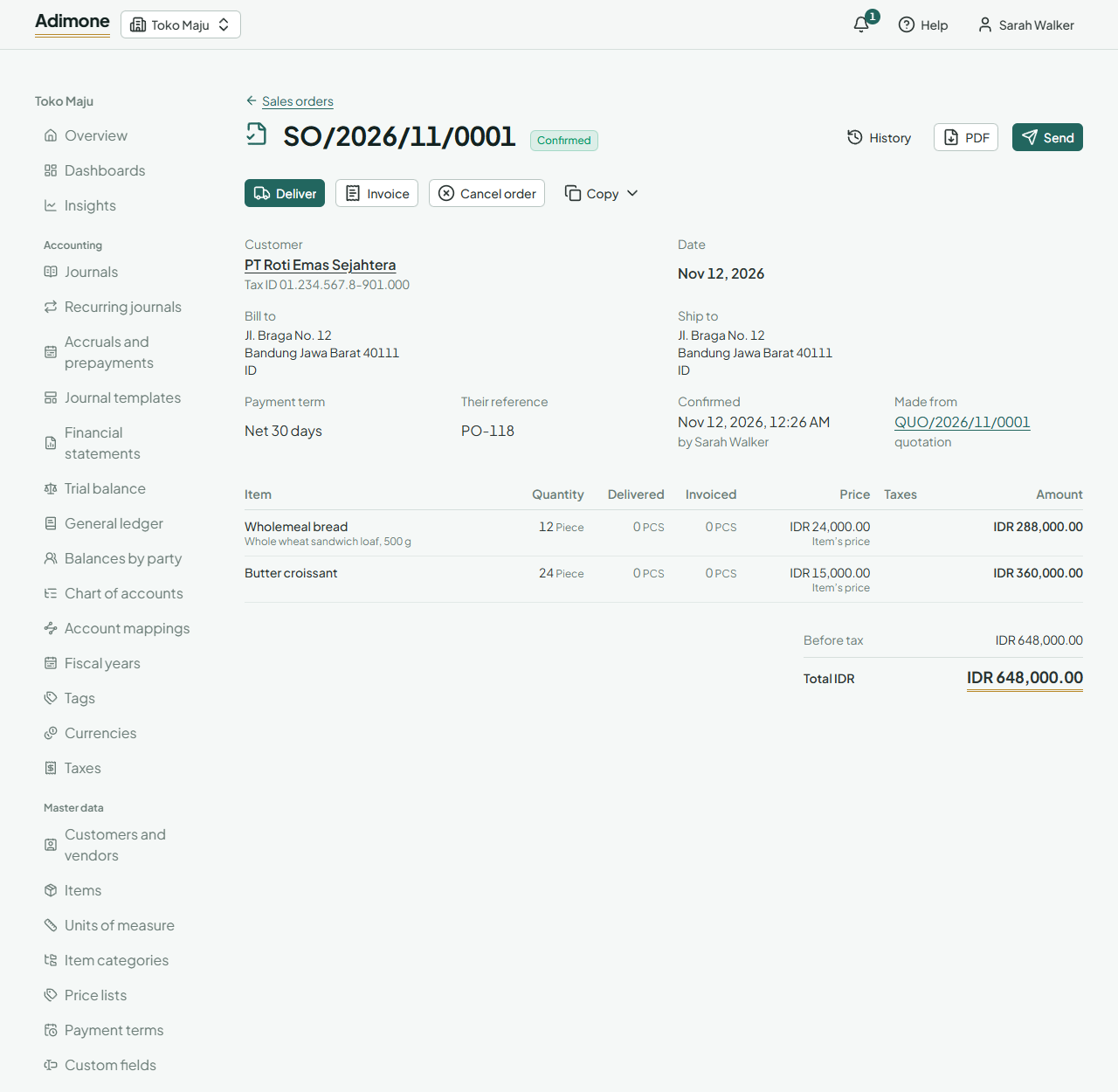
If the customer has a credit limit, confirming checks what they would owe: what they owe on invoices, their other open orders and this one. When that is more than the limit, you see the limit and the amounts, and your sales settings decide what happens next.
Copy or cancel
- Copy and then Repeat as a new order starts a new draft from it, for a customer who orders the same again.
- Cancel order marks it cancelled with the reason. A cancelled order no longer counts toward the customer's credit. An order that was partly delivered can't be cancelled; close what is left of it instead.
Deliver sends the goods; the order then shows how much of each line was delivered (Deliver goods to customers). Invoice bills what was delivered and what is left to deliver (Invoice customers).