
Read your stock
What each warehouse holds of each item, what it cost, and every move in and out of an item.
Stock on hand shows how much of each item every warehouse holds, in the item's base unit (pieces, kilograms). With more than one warehouse, an item's rows add up under All warehouses.
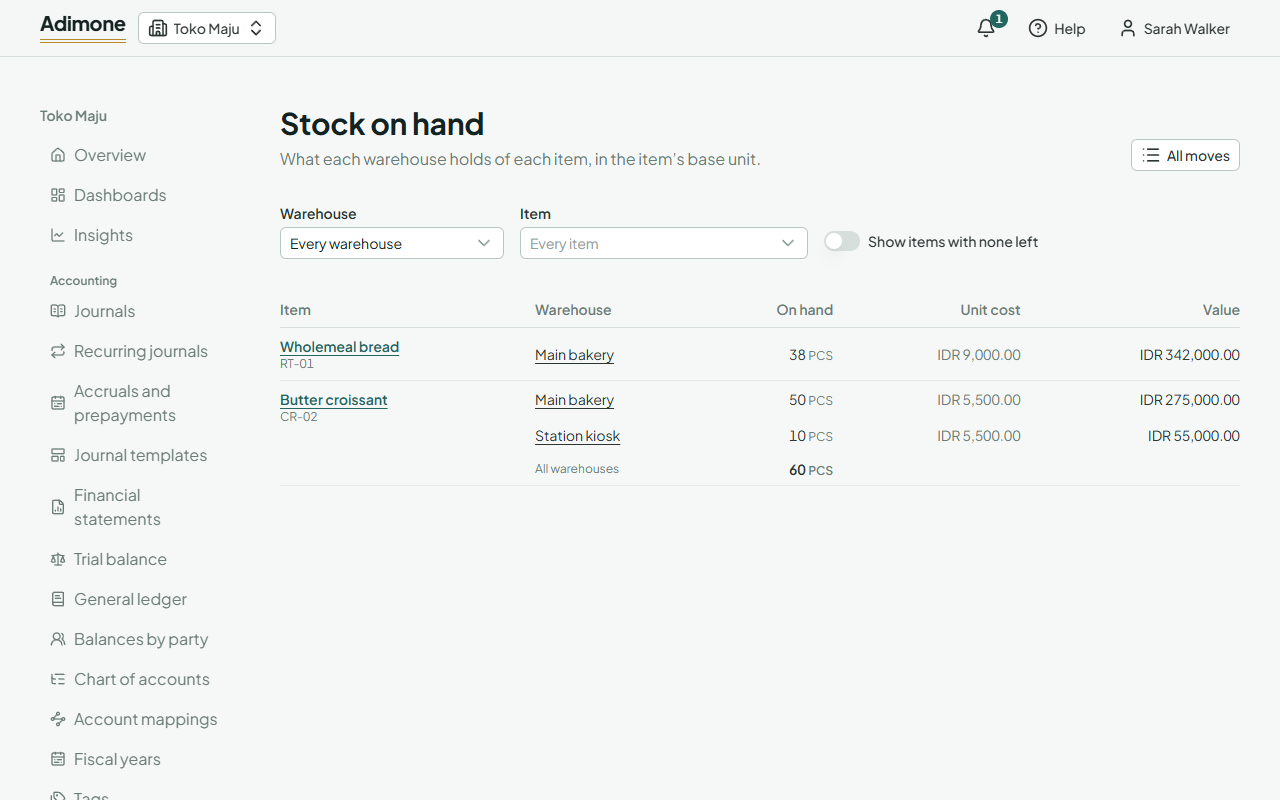
Find an item
Filter by Warehouse or Item. Items with nothing left are hidden; turn on Show items with none left to see them too. If you see purchase prices, the Unit cost and Value columns show what the stock cost: How stock is costed.
A quantity in red is below zero: more went out than was recorded on hand, such as a sale at the till before the delivery was entered. Count the item to set it right (Count stock).
An item's moves
Choose an item, or a warehouse on its row, to see its moves: newest first, each with its date, the record that moved it (open it from its number), the warehouse, what came In or went Out, and for those who see purchase prices its Cost. A void's moves are marked Void. Filter by dates to see a period.
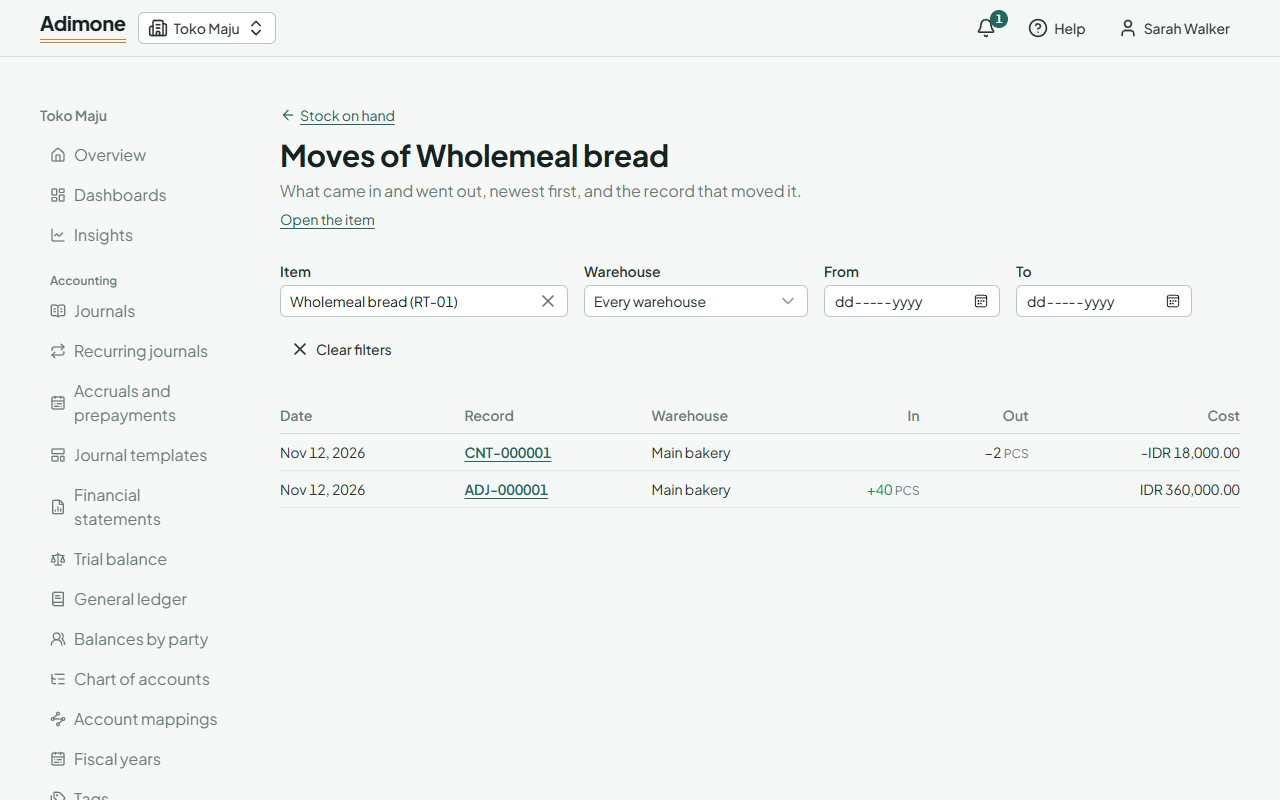
All moves shows every item's moves together. Moves of items tracked by lot or serial show the number; choose it to see that lot's moves (Lots and serial numbers).
Once an item has stock
An item that has stock stays a stock item and keeps its base unit and its tracking, since its quantities are counted in them. Its page says how much is on hand and links to its moves. Add another unit (a box, a carton) whenever you like.