Lots and serial numbers
Track stock by lot with expiry dates or by serial number, enter the numbers on stock documents, take the earliest expiry first, and follow a lot.
Some goods need more than a quantity. Milk, medicine and cosmetics come in lots (batches) with an expiry date. Phones, tools and machines have a serial number on every piece. Track such items, and every move of their stock says which lot or serial it was.
Choose how an item is tracked
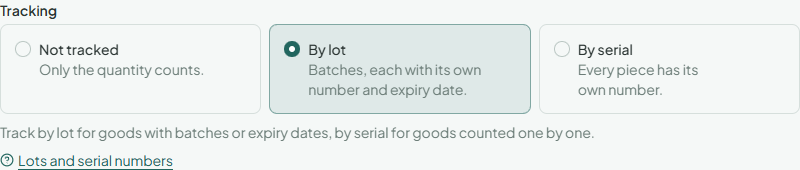
On a stock item's page, choose its Tracking:
| Tracking | Use it for |
|---|---|
| Not tracked | Goods where only the quantity counts. |
| By lot | Goods that come in batches, each with its own number and, if you like, an expiry date. |
| By serial | Goods counted one by one, each piece with its own number. |
Only stock items can be tracked, and a tracked item can't be part of a kit. Choose before the item first gets stock: like its base unit, its tracking stays as it is after that.
Lots and expiry dates
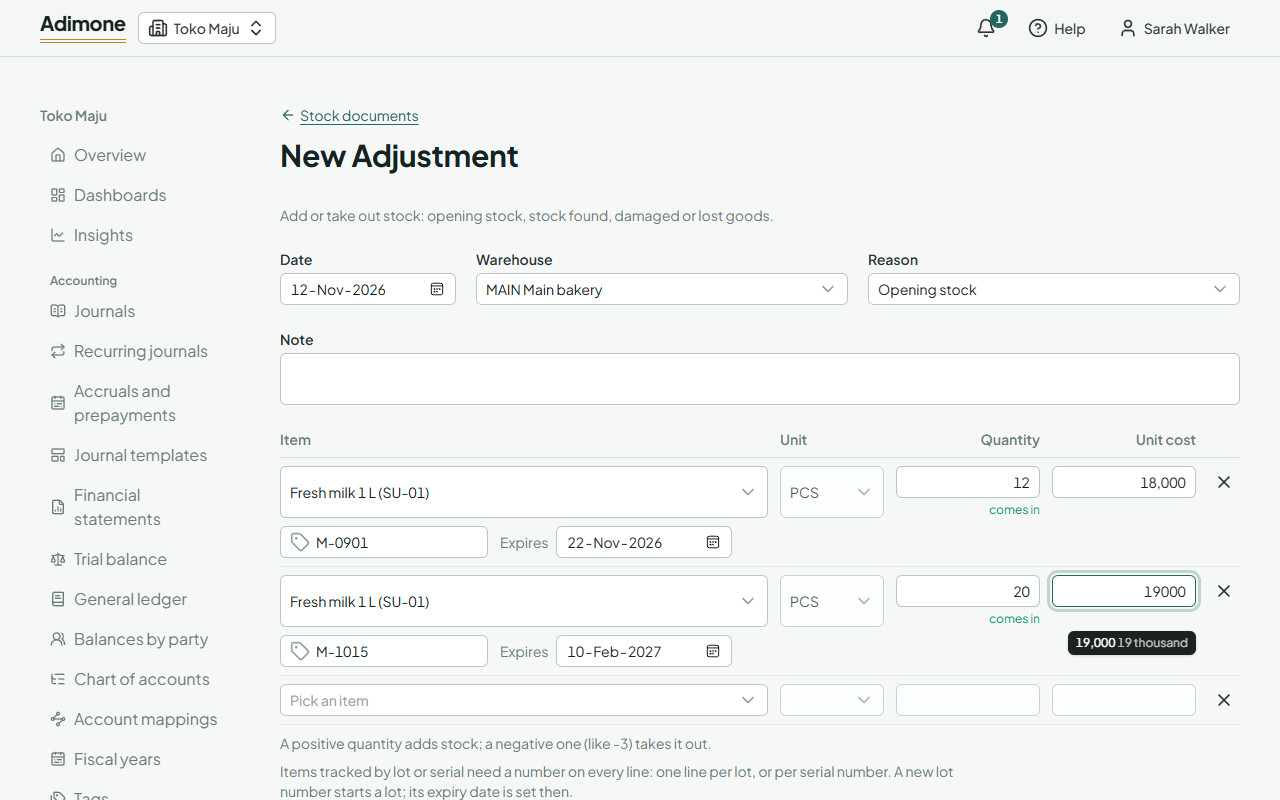
On a stock document, a tracked item's line asks for its Lot number.
- Stock coming in under a number you haven't used before starts a new lot. Enter its Expires date on that line if it has one; the lot keeps that date. Stock coming in later under the same number joins the lot, and its expiry can be left empty.
- Stock going out, or moved to another warehouse, names the lot it takes. A lot can't go below zero, even when your business lets other stock go below zero.
- Several lots on one document are several lines: one per lot.
Take the earliest expiry first
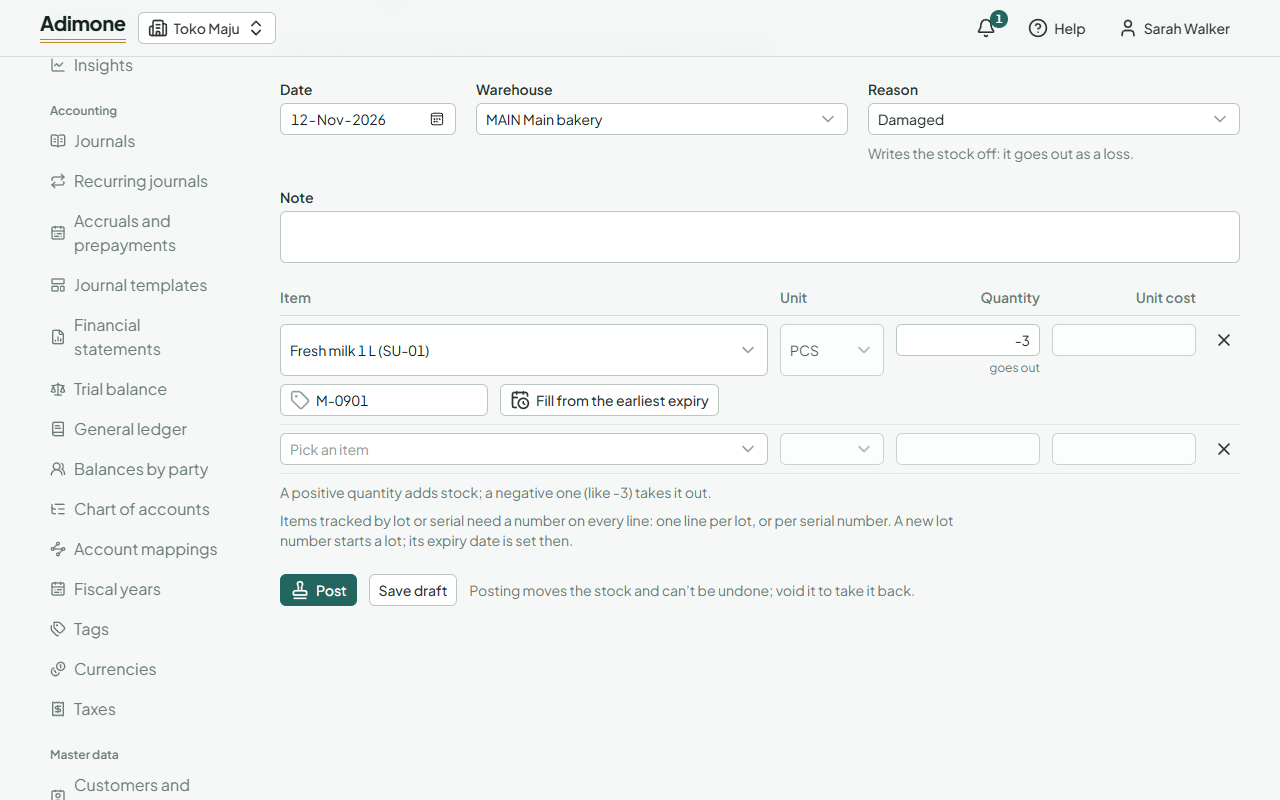
For stock going out (a write-off, a transfer), enter the item and quantity, then choose Fill from the earliest expiry. The line becomes one line per lot the warehouse holds, the lot expiring first at the top, until the quantity is covered. Lots without an expiry date come after, oldest first. If the lots on hand don't cover it all, the line says how much is short.
Serial numbers
A serial number is one piece. Each line of a serial-tracked item is one serial number with a quantity of one (minus one to take it out), so receiving five pieces takes five lines. Fill from the earliest expiry fills one line per serial on hand. A serial number can be in stock in only one place: bringing in a number that is already on hand is refused.
Count tracked items
A stock count has a line per lot or serial number. Add every item in this warehouse adds a line for each lot it has held. A lot you find that isn't listed gets a line of its own with its number; counting it brings it into stock.
Find a lot
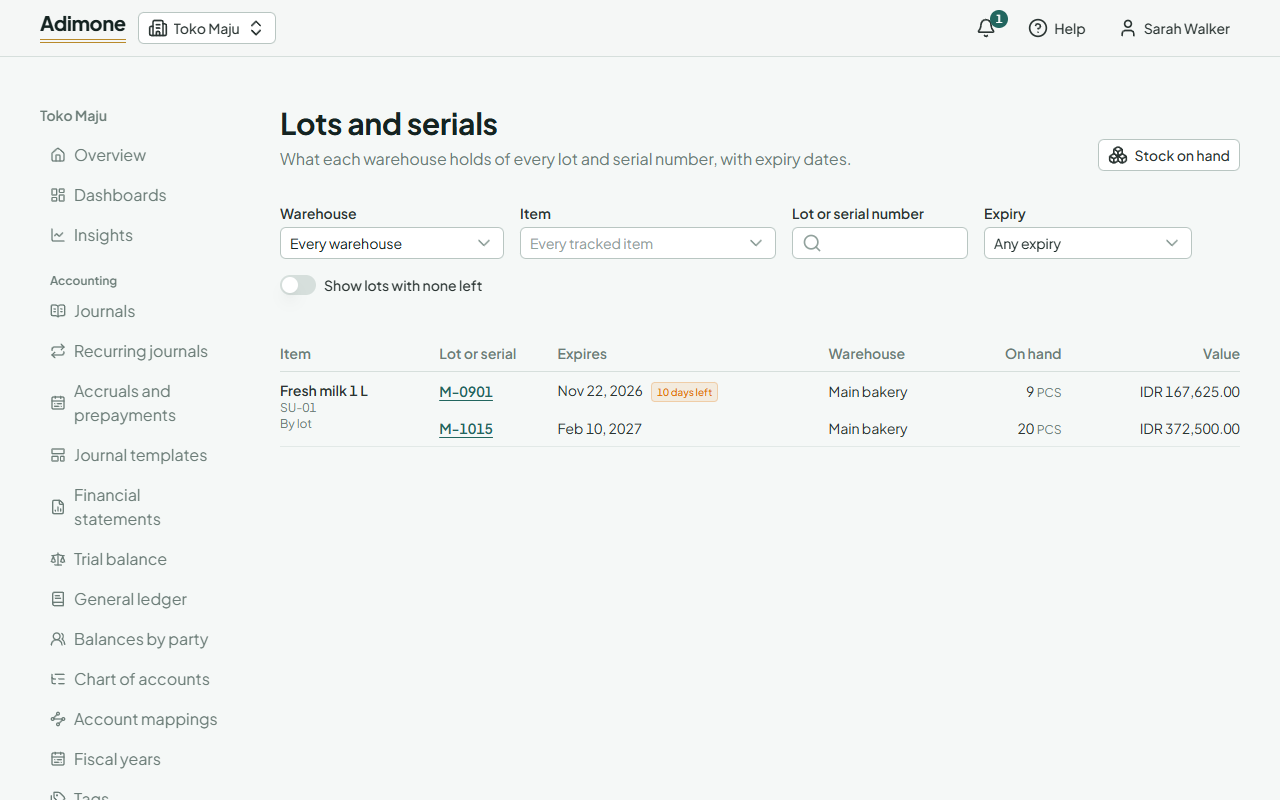
Lots and serials in Inventory shows what each warehouse holds of every lot and serial number, by item, with expiry dates:
- Lots expiring within 30 days say how many days are left; expired lots are marked Expired.
- Filter by Warehouse, Item, Lot or serial number, or Expiry: choose Expiring within 30 days to see what to sell or use first, or Expired to see what to write off (reason Expired).
- If you see purchase prices, each lot shows its Value.
Choose a lot or serial number to see its moves: where it came from and where it went, newest first.