
Get help while you work
Open the help for the screen you're on beside your work, search every article, and keep a guide open in its own tab.
Every screen in Adimone has its own help article. It opens in a panel beside the screen, so you can follow the steps while you fill in a form.
Open help for this screen
- Choose Help at the top of the screen, or press the
?key when you're not typing in a field. - The panel opens at the article for the screen, at the part that explains it.
- Choose Help again, press
?or close the panel when you're done.
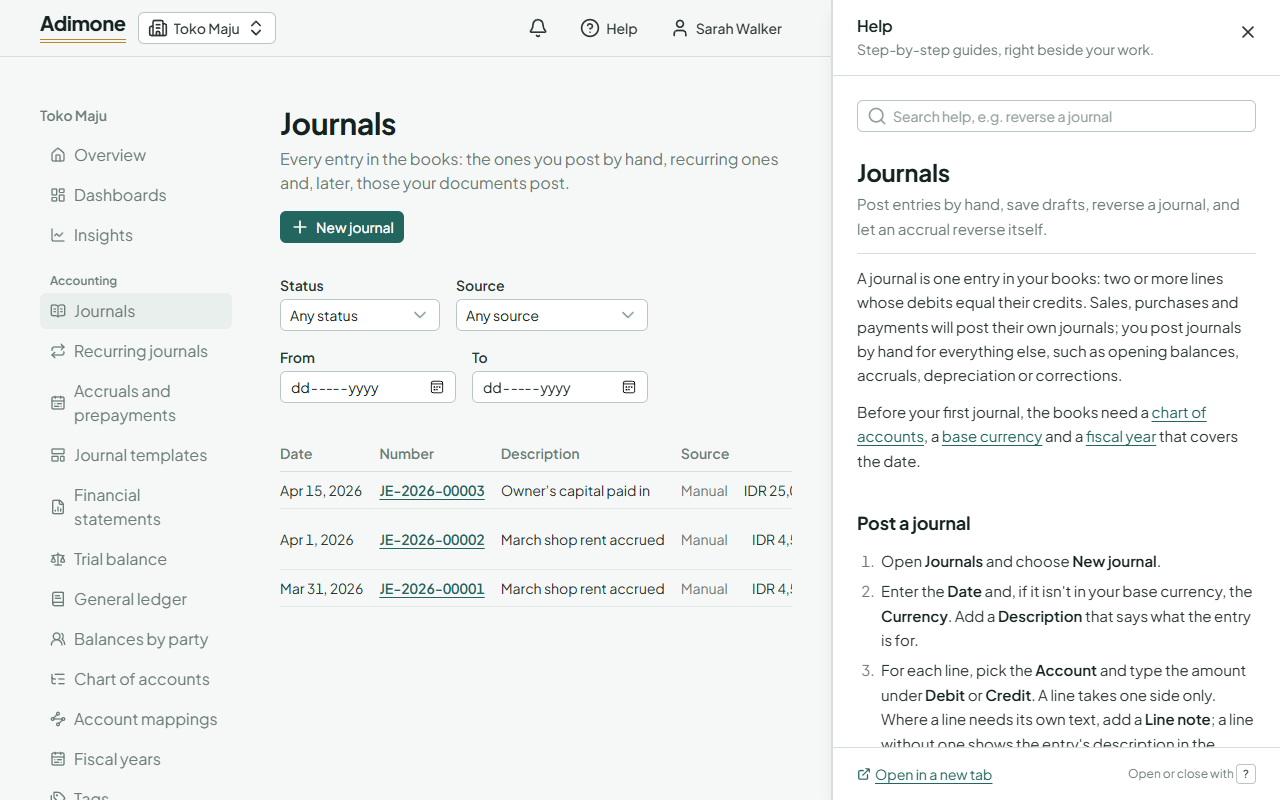
The screen stays usable while the panel is open: you can type, choose and save as usual. The panel keeps its article when you move to another screen. It then offers Help for this page to switch to the new screen's article.
You can also open help from the signed-out pages, such as sign-in and sign-up, with the Help link beside the language switch.
Find an article
- Type in Search help at the top of the panel. Articles that contain every word you typed are listed, best match first.
- Under an article, More in lists the other articles of its topic, and All help articles lists everything.
- Help center in your account menu opens the list of all articles.
- Links inside an article open in the panel. Back returns to the article you came from.
Some screens show a small link with a question mark where they introduce something new, such as How journals work on an empty list of journals. It opens the article in the panel too.
Guided tours
The first time you open some of the main screens of a business (its overview, invoices, vendor bills, bank accounts and the financial statements), a short tour points out what matters there, a few stops long.
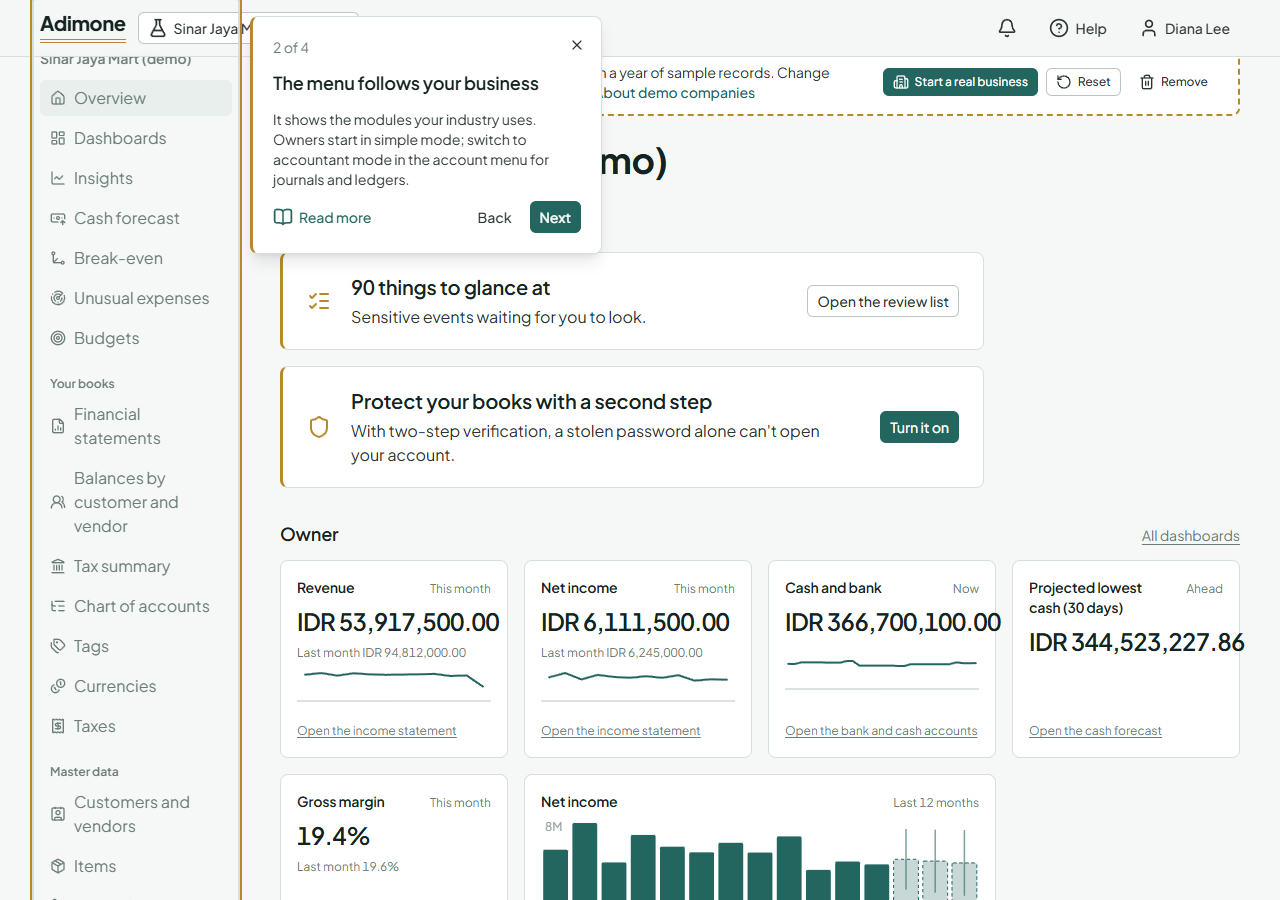
- Next and Back move between the stops; Read more opens the stop's help article in the panel.
- The tour doesn't lock the screen: you can try what it points at while it's open.
- Close it with the × or the
Esckey. Each tour shows once; to see it again, choose Tour of this screen in your account menu.
Keep a guide open
Open in a new tab at the foot of the panel opens the article as a page of its own. Its address can be bookmarked or shared. Anyone can read help pages, signed in or not.
The help comes with Adimone itself, so it always describes the version you're using and works without an internet connection to the help center.