
Requests about your personal data
Ask Adimone, or a business you work or worked with, to show, correct, hand over or delete your personal data; and, as an owner, answer the requests your business receives.
The law (Indonesia's UU PDP, and the GDPR in Europe) gives everyone rights over their personal data: to see it, correct it, take it elsewhere, have it deleted, and withdraw a consent. Adimone answers for the data of your account. A business answers for the data it keeps about you, such as your contact card as its customer or your records as its employee. Either must answer within 3×24 hours.
Do it yourself first
Most of it you can do at once on your account page (Account and security), without waiting for anyone:
- See or hand over your data: download it under Your data (see Export your data).
- Correct your name and details under Profile.
- Delete your account under Delete account.
- Stop product emails under Privacy (see Terms, privacy and marketing email).
Make a request
For anything else, or for a business's records:
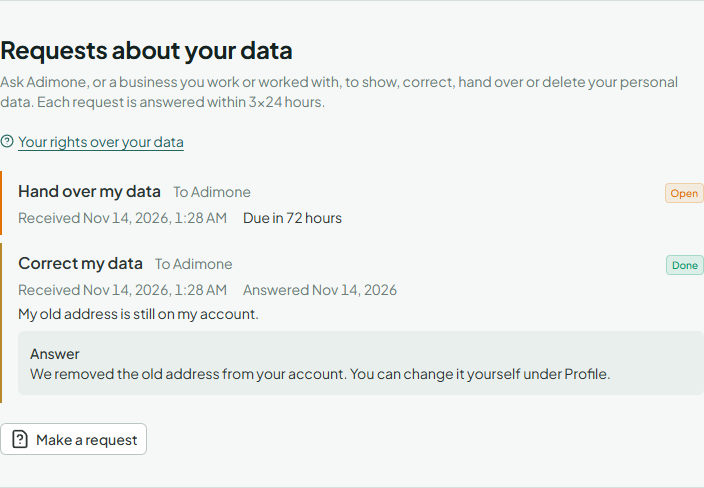
- On your account page, under Requests about your data, choose Make a request.
- Under Send it to, choose Adimone or the business. Businesses you have left are listed too.
- Choose what you'd like and describe it under Details (needed to correct something or for anything else).
- Choose Send the request.
The request shows on your account page with its deadline, and the answer appears beneath it. You can have up to 5 open requests with each recipient.
Answer requests to your business
As the owner, you answer for the personal data your business keeps. Requests filed by members and former members arrive in Settings (in the menu, under Business) → Open the requests, and you're told by email. A request that reaches you another way (an email, a letter, at the counter) you record yourself with Record a request, giving who asked, how to reach them and when it arrived (up to 30 days ago): the 3×24 hours count from then.
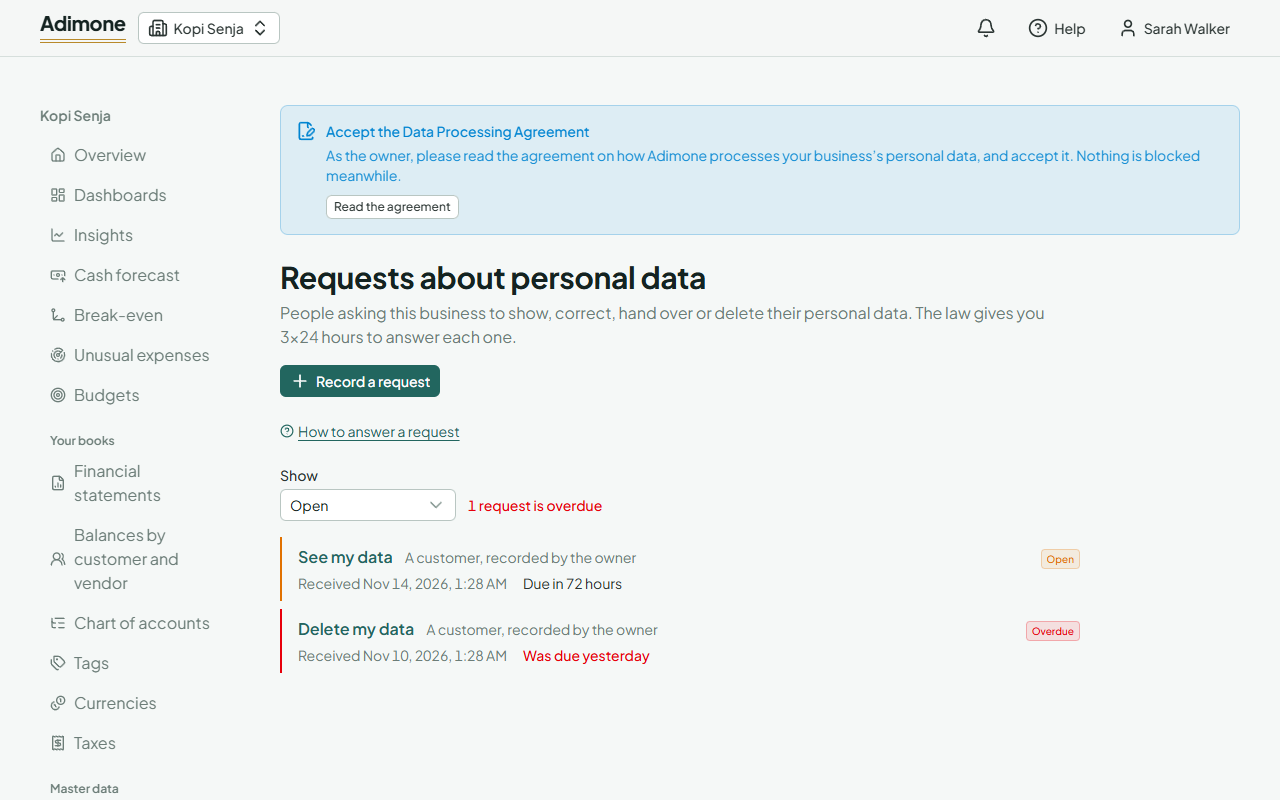
- Open the request to read it. Open requests show how long is left; red means it's overdue.
- Do what was asked through Adimone: correct the customer or employee, export their data, delete what may be deleted. Records the law says to keep, such as posted invoices, stay.
- Choose Done or Refused, write what you did or why not, and choose Record the answer.
A member who filed the request reads your answer in their account. Someone whose request you recorded isn't told in Adimone: answer them the way the request came. The requests stay open to answer even when the business is read-only.