
Number your documents
The number format of each kind of document, when its running number starts again, and continuing the numbers from your previous software.
Every quotation, invoice, receipt and other document gets its number when it is issued. Each kind is numbered on its own: out of the box, invoices are numbered like INV/2026/10/0001 and start at 1 again each month. You can change the format, when it starts again, and the number it continues from.
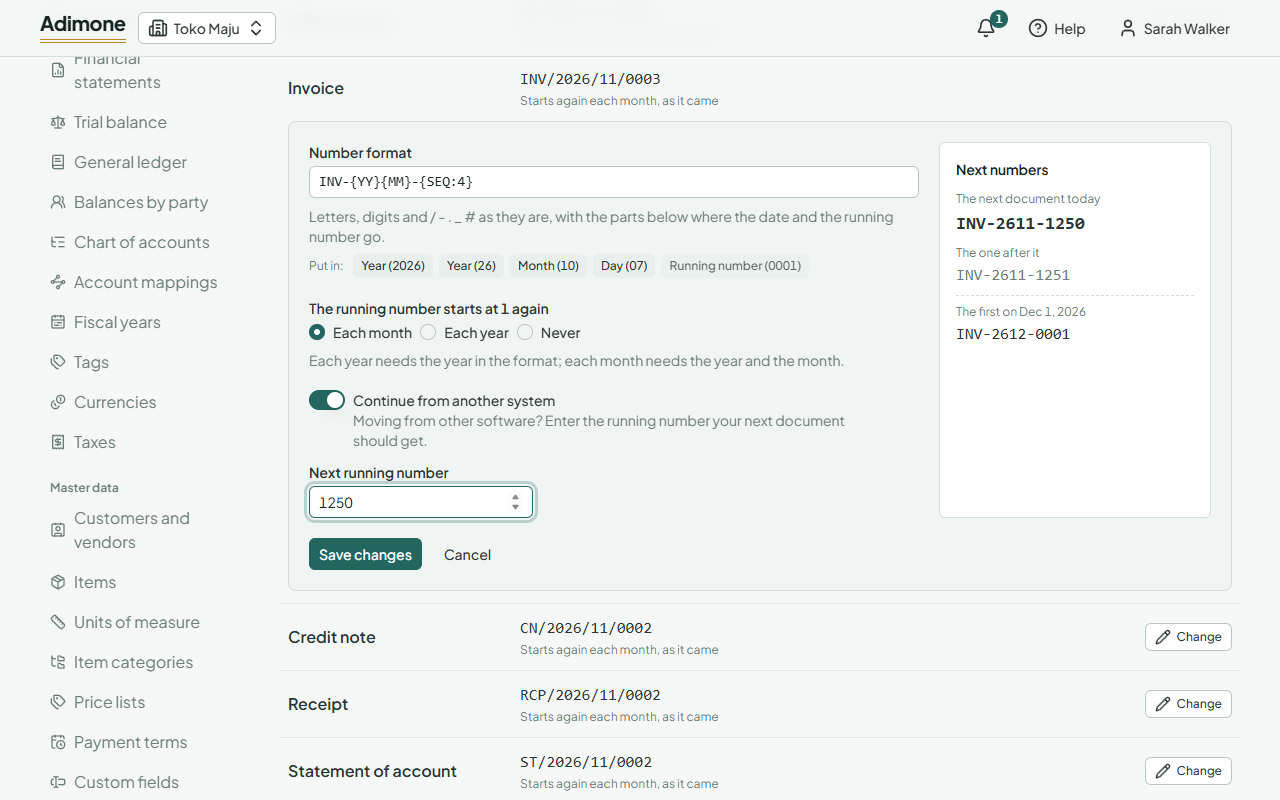
Change a numbering
- In Documents, open Numbering. Each kind shows the number its next document would get today.
- Choose Change next to the kind.
- Write the Number format, change when The running number starts at 1 again, and check the Next numbers beside it.
- Choose Save changes.
Changing a numbering takes the permission to manage documents. Every member can see it. Documents already issued keep their numbers.
The number format
A format is your own text with parts that are filled in when a document is issued. Write letters, digits and the signs / - . _ # as they are (no spaces), and use Put in to add a part where the cursor is:
| Part | Writes | Example |
|---|---|---|
| Year (2026) | {YYYY} |
2026 |
| Year (26) | {YY} |
26 |
| Month (10) | {MM} |
10 |
| Day (07) | {DD} |
07 |
| Running number (0001) | {SEQ:4} |
0001 |
The running number goes in exactly once. {SEQ:4} pads it to 4 digits; write another digit from 1 to 9 for another width, or {SEQ} for no padding. A format is at most 40 characters. INV-{YY}{MM}-{SEQ:4}, for example, numbers October's invoices INV-2610-0001, INV-2610-0002 and so on.
When it starts again
- Each month: the running number starts at 1 on the first of each month. The format needs the year and the month, or two months would give the same numbers.
- Each year: it starts at 1 on 1 January. The format needs the year.
- Never: it keeps counting. The format needs no date at all.
The Next numbers show the next document today, the one after it, and the first one of the next period.
Continue from another system
Moving from other software, or from numbering by hand? Turn on Continue from another system and enter the Next running number: your next document of this kind in the current period gets it. If you enter a number lower than the next one now, the numbers already used are skipped, so no two documents ever share a number.
Every change to a numbering is in its History (Change history and undo). Undoing a change brings the format back, but never the running number: documents may have taken numbers since.