
Set your document branding
Your logo, brand color, languages, bank details, payment QR code, signature and stamp, printed on every quotation, invoice and receipt.
The branding is what every document shows of your business besides its name, address, tax ID, phone and email, which come from the business details in Settings. You set it once; every design of every kind of document uses it.
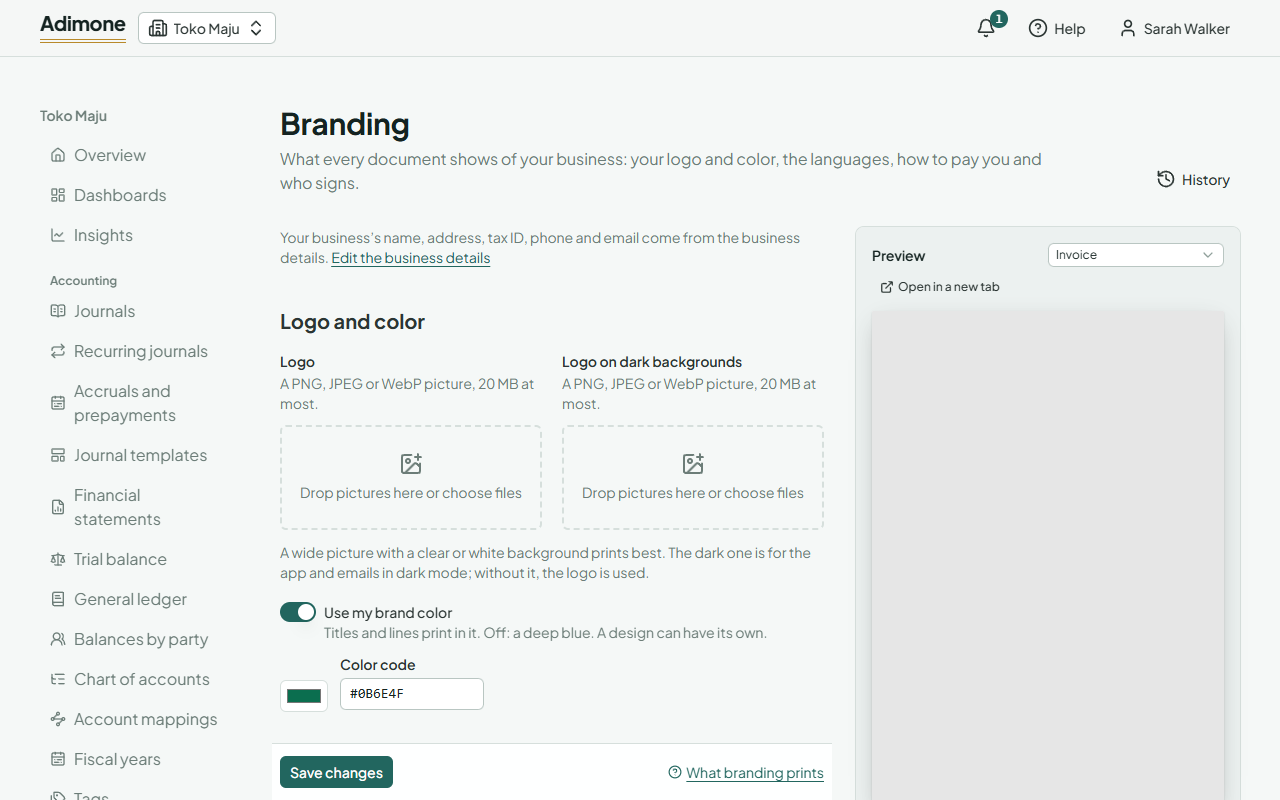
Set the branding
- In Documents, open Branding.
- Change what you need (each part is below) and choose Save changes.
- Check the Preview beside the form. It shows a sample document with the saved branding; pick another kind of document above it to see that one.
Changing the branding takes the permission to manage documents. Every member can see it.
Logo and color
- Logo: printed at the top of documents. A wide picture with a clear or white background prints best. PNG, JPEG and WebP pictures up to 20 MB are taken.
- Logo on dark backgrounds: used in the app and in emails shown in dark mode. Without it, the logo is used.
- Use my brand color: titles, lines and the table's heading print in it. Pick the color, or type its code like #0B6E4F. Off, documents use a deep blue. A design can have its own color (Design your documents).
Languages
Documents are in sets the language of documents. A customer or vendor who has a language of their own gets documents in theirs (Customers and vendors). The Second language on bilingual designs is the one a bilingual design prints next to it; leave it on The other language for English with Indonesian.
How to pay you
- Bank details: bank, account number and account holder, on as many lines as you need.
- Payment QR code: paste the text your QR code holds, such as your static QRIS code or a payment link, as it is. The document draws the code. A text too long for a QR code is refused.
- Caption under the QR code: Scan to pay unless you write your own.
They print on invoices, statements of account and payment reminders. A design can leave them out.
Signature and stamp
Enter who signs for the business under Signed by and Their title, and add a picture of the Signature and the Company stamp. The signature prints over the stamp where the business signs. Where a receiver signs, such as on a delivery note, their part stays blank for a signature by hand. Where a document owes Indonesia's duty stamp, a box for it can print on the business's signature line (Mark where a meterai is due).
Website and terms
The Website prints with your business details. Terms on every document print last on every document, like a return policy.
Every change to the branding is in its History, where it can be undone (Change history and undo). Documents already issued keep the branding they were issued with.