
See where you're signed in
Check the devices signed in to your account and sign out the ones you don't recognise.
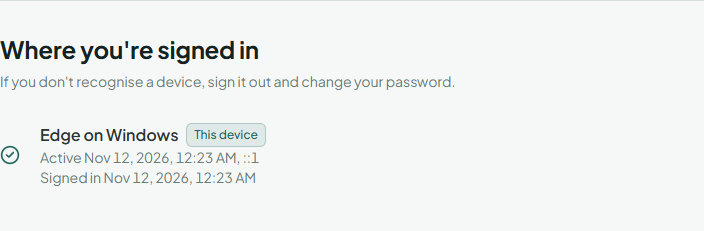
Go to Account and security and find Where you're signed in. Every device and browser signed in to your account is listed with when it signed in and when it was last active. The one you're using is marked This device.
Sign out a device
Choose Sign out next to it. That device has to sign in again.
To sign out everything except the device in front of you, choose Sign out everywhere else. Do this after using a shared computer you can't get back to, or when you've lost a phone or laptop.
A device you don't recognise
- Sign it out.
- Change your password; this signs out every other device too.
- Turn on two-step verification if it's off.
If you think someone else changed your password or email address, use the "this wasn't me" link in our email instead.
Linked accounts
If your account is linked to Google, Linked accounts shows it with the date it was linked. Unlink removes it; you then sign in with your password. To link an account, choose Link, enter your password and sign in to the other account.