
Set up units of measure
The units you count items in, and how a box or a pack converts to pieces for each item.
Every item is counted in a unit: pieces, boxes, kilograms, hours. Units of measure lists the business's units with their codes, as documents print them.
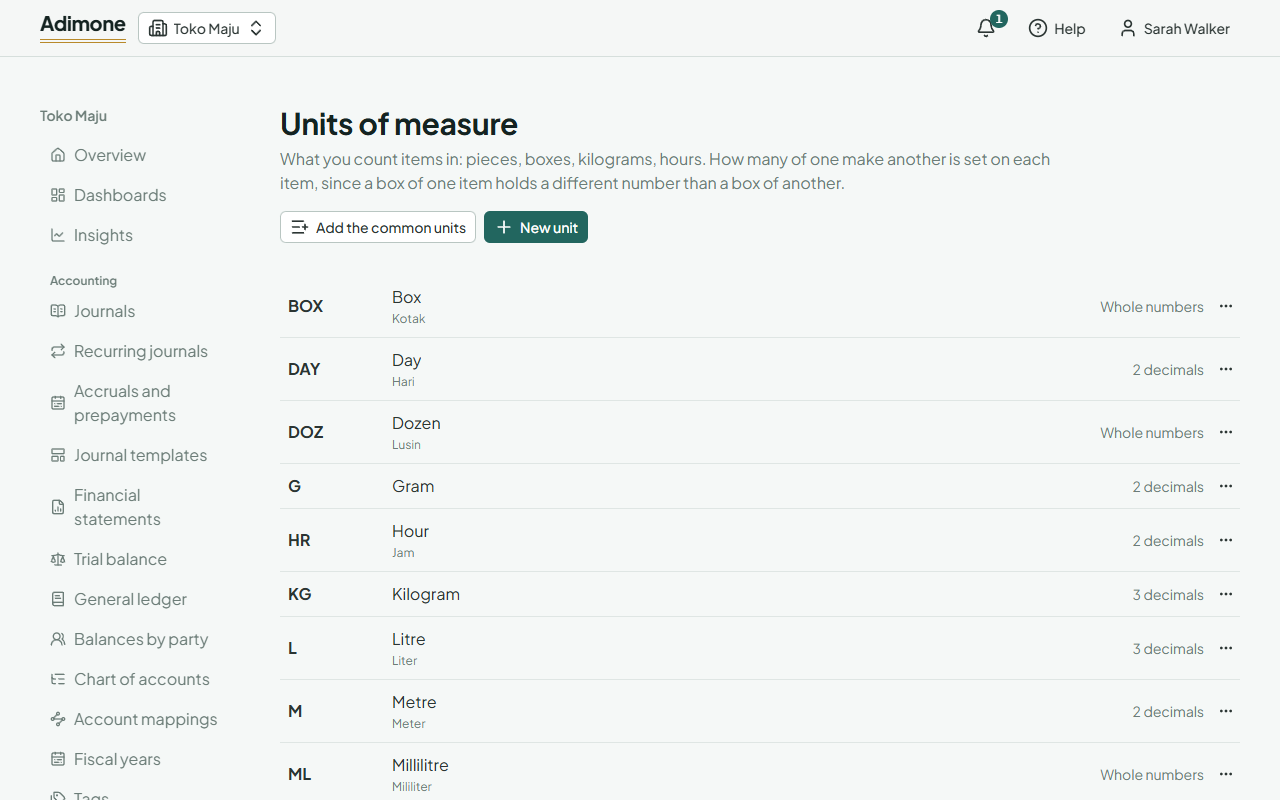
Start with the common units
On an empty Units of measure page, choose Add the common units. It adds pieces, units, boxes, packs, dozens, kilograms, grams, litres, millilitres, metres, hours and days, named in the app's language with the other language as a translation. Units you already have by those codes are left as they are. The setup wizard adds them for a new business too.
Add your own
- Choose New unit.
- Enter a short Code (like CTN) and its Name (Carton).
- Set Decimals: 0 for things counted whole, like pieces or boxes; 3 for kilograms or litres. The example under it shows how a quantity will be written.
- Choose Add the unit.
A business can have up to 200 units.
Conversions
How many pieces a box holds differs from item to item, so conversions are set on each item, not on the unit. On an item's page, under Units and conversions:
- Choose the Base unit, the smallest unit you count the item in. Stock, costs and prices are kept in it.
- Choose Add a unit, pick the unit and enter how many base units it Holds. The sentence beside it reads the conversion back, like 1 Box = 12 PCS.
- Pick the unit sales start in (Sell in) and purchases start in (Buy in), if they aren't the base unit.
A conversion can hold no more decimals than the base unit takes: a box of 12 pieces is fine, a box of 12.5 pieces isn't.
Change, deactivate or delete
Use the ⋯ menu next to a unit:
- Edit changes its code, name, decimals or translations.
- Deactivate keeps it on the items that use it, but it can't be picked again. Reactivate brings it back.
- Delete removes a unit no item uses.